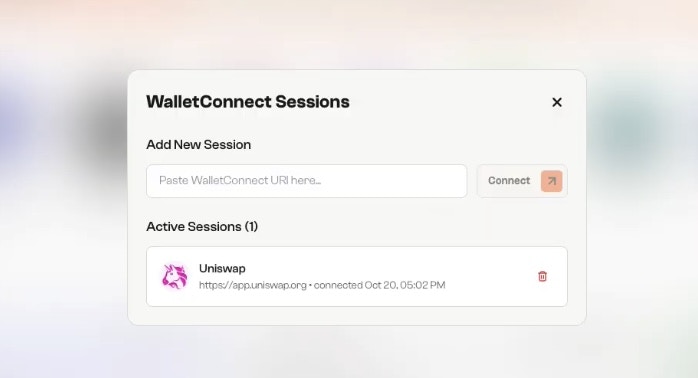
Follow the steps below to connect securely and start interacting with dApps.
1
Step 1: Open the dApp You Want to Connect
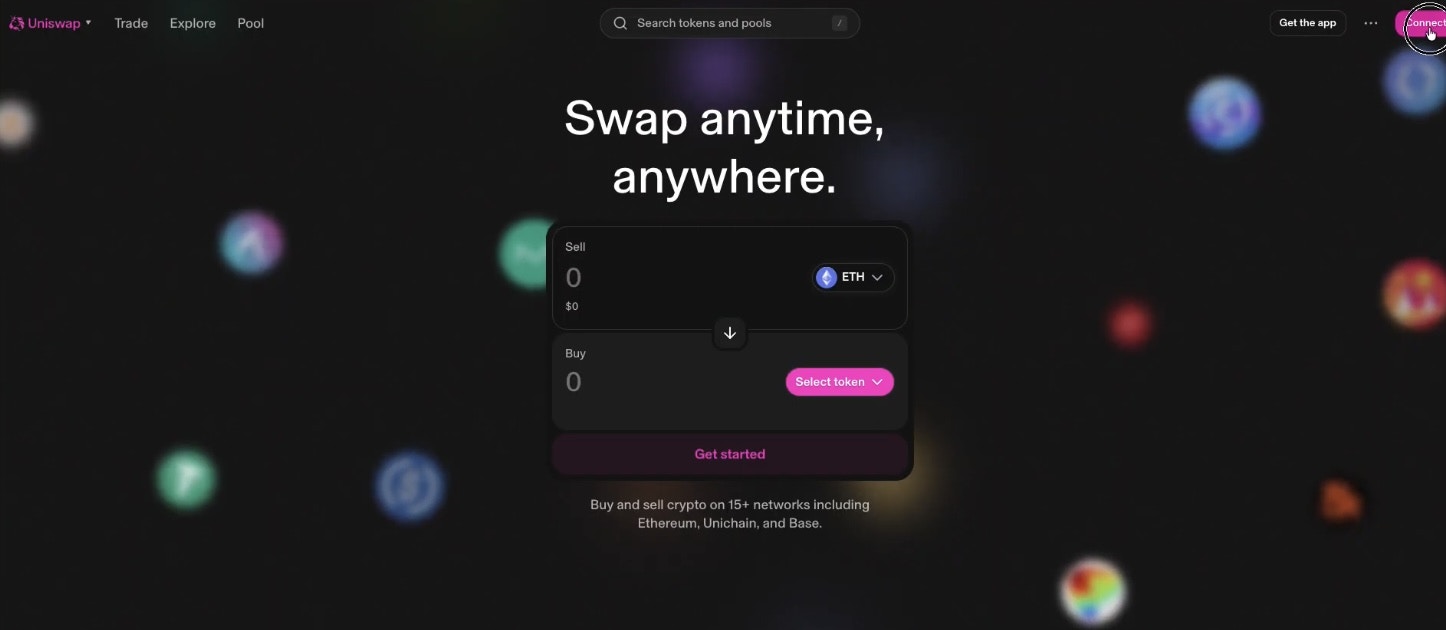
- Go to the dApp you want to use, such as Uniswap.
-
Click the Connect Wallet button at the top-right corner of the interface.
2
Step 2: Choose WalletConnect
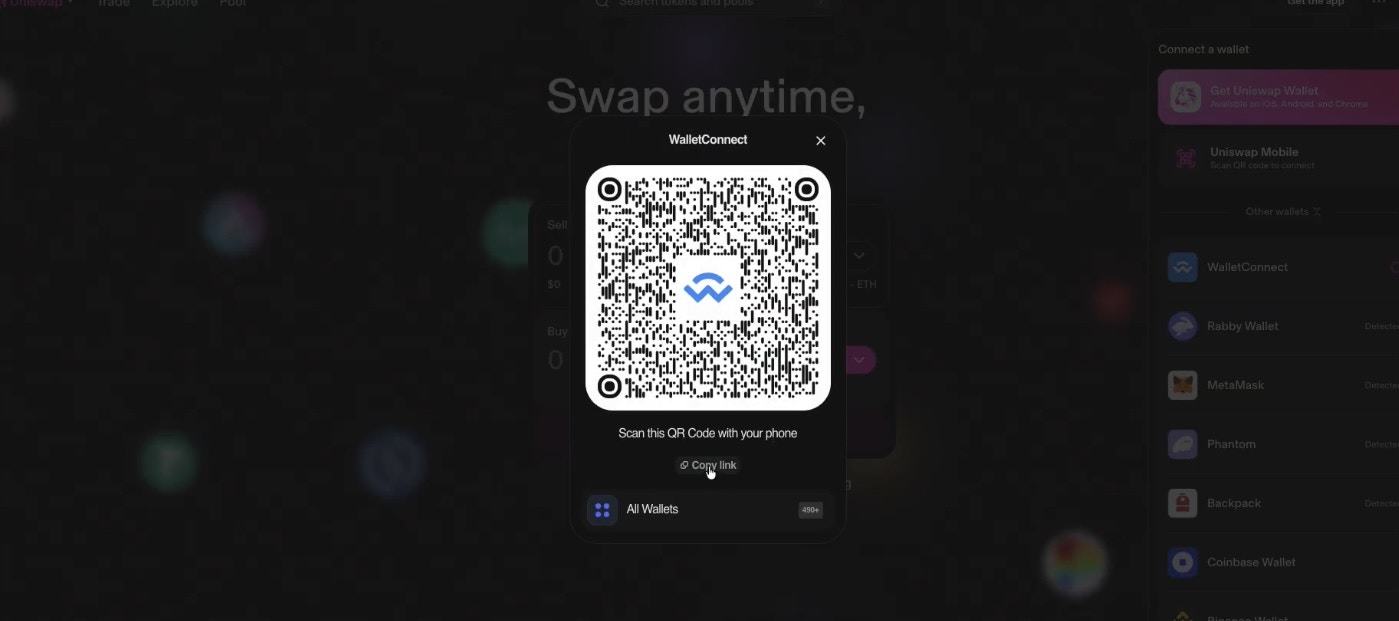
- When prompted to select a wallet, choose WalletConnect.
-
A QR code will appear, keep this page open; you’ll use its connection link in the next steps.
3
Step 3: Open the Incentiv Portal
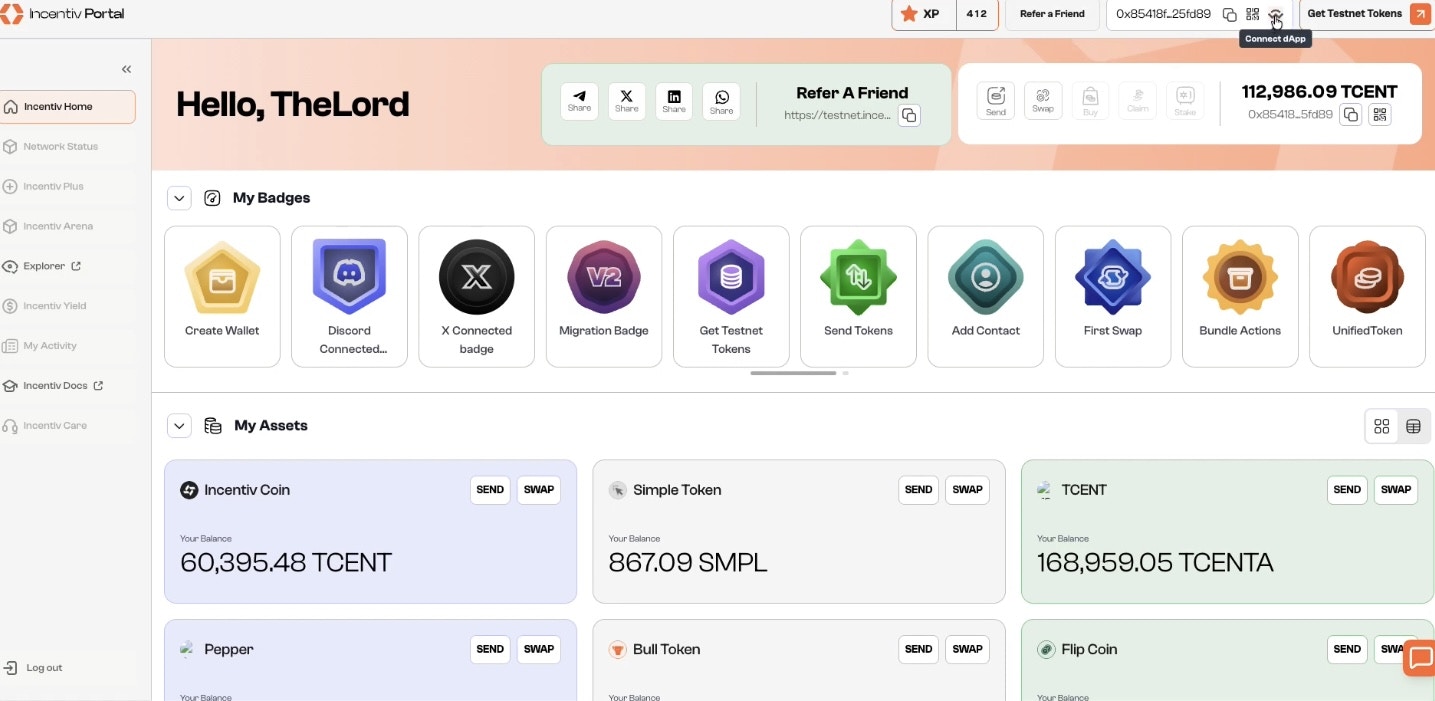
- Go to the Incentiv Portal page.
-
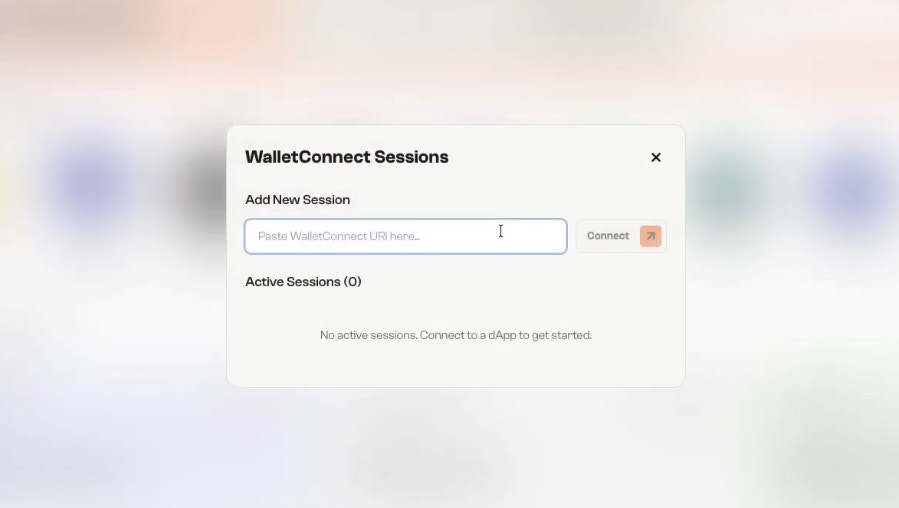
On the top bar, click Connect dApp to open the WalletConnect Sessions panel.
4
Step 4: Paste the WalletConnect URI
-
From the dApp page, copy the WalletConnect link shown under the QR code. 2.Paste it into the Add New Session field in your Incentiv portal and click Connect.
5
Step 5: Confirm Connection
Once connected, your session will appear under Active Sessions, showing the dApp’s name and connection time.You’re now ready to use your Incentiv Smart Wallet across the dApp ecosystem.