

How It Works
1
Step 1: Initiate a Transaction
Access the Incentiv Portal and choose either the “Swap” or “Send” function. This will display your available balances and open the interface for transaction setup.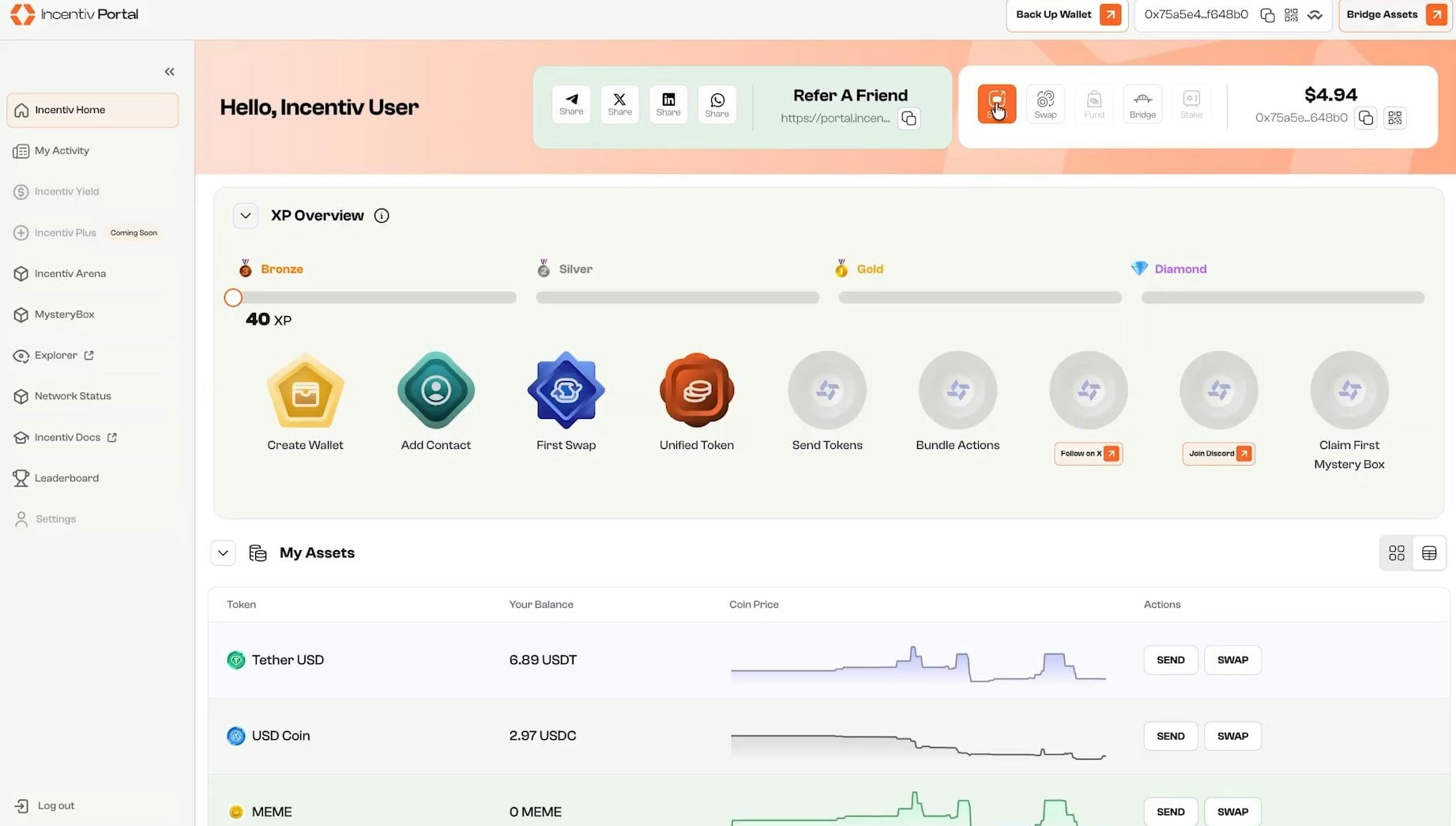
2
Step 2: Define Transaction Parameters
- For swaps: Select the token you want to exchange and the token you wish to receive.
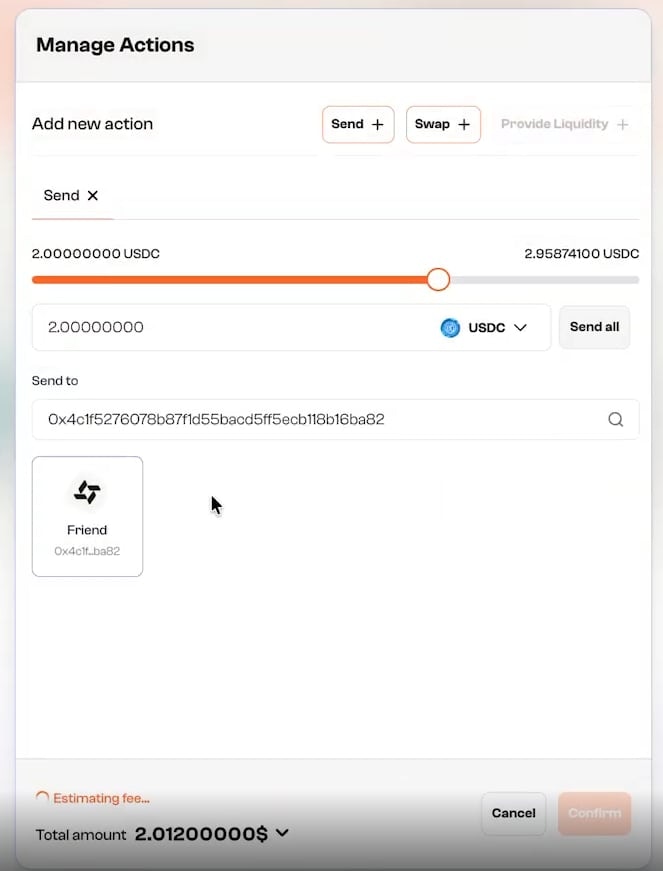
- For sends: Enter the recipient’s wallet address and select the token to transfer.
3
Step 3: Specify the Token Amount
Enter the amount of tokens to swap or send. The system will display the estimated output for swaps. For both actions, the estimated gas fee will be shown based on current network conditions.
4
Step 4: Select a Gas Token
Use the dropdown menu to choose which token to use for paying gas fees.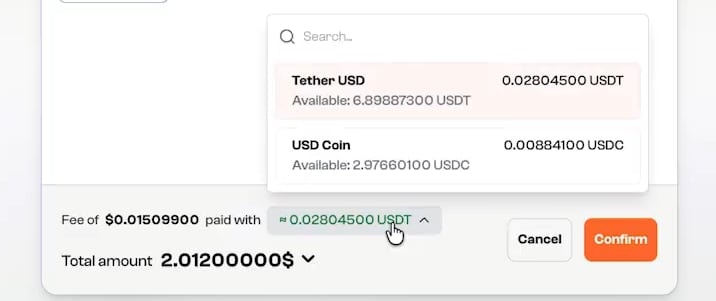
- Only tokens with a sufficient balance to cover the projected fee will be available.
- $CENT is selected by default if present in the wallet.
- Other supported mainnet tokens include WETH, USDC, and USDT.
5
Step 5: Review and Confirm
Carefully verify all transaction details:
- Token amounts
- Selected gas token
- Recipient address (for sends)