- Bridge In to Incentiv
- Bridge Out of Incentiv
1
Step 1: Open Bridge & Connect Wallet
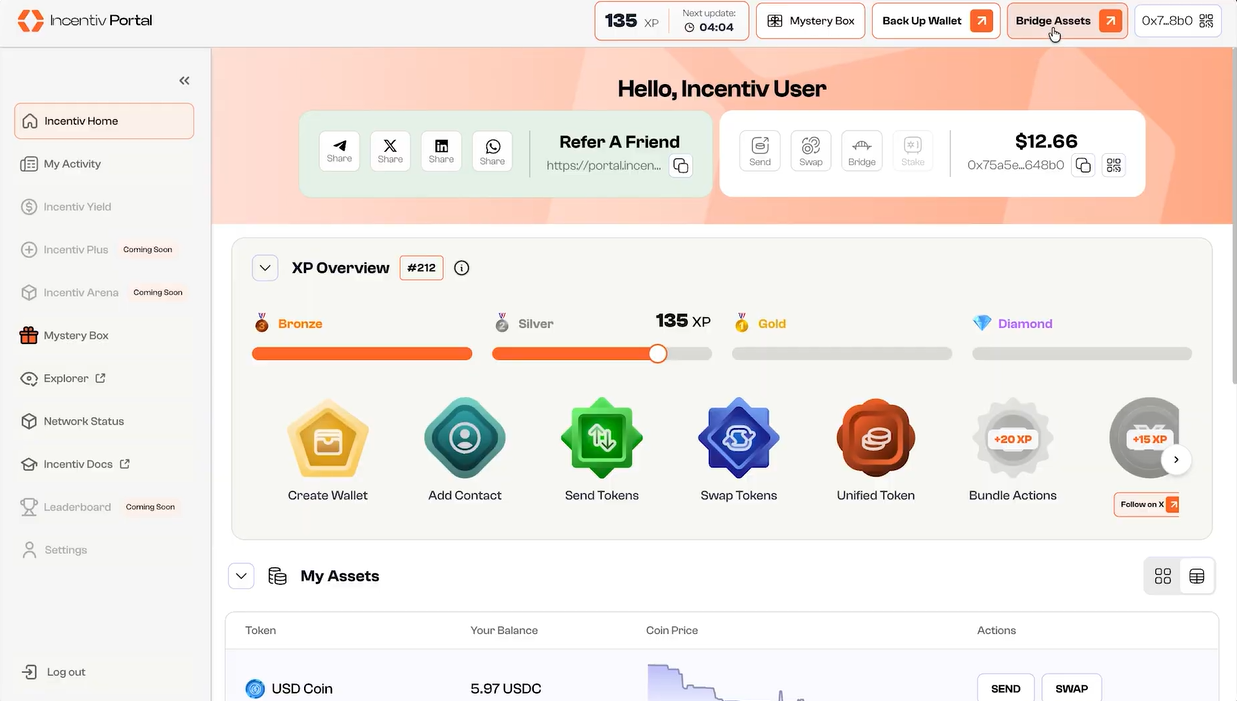
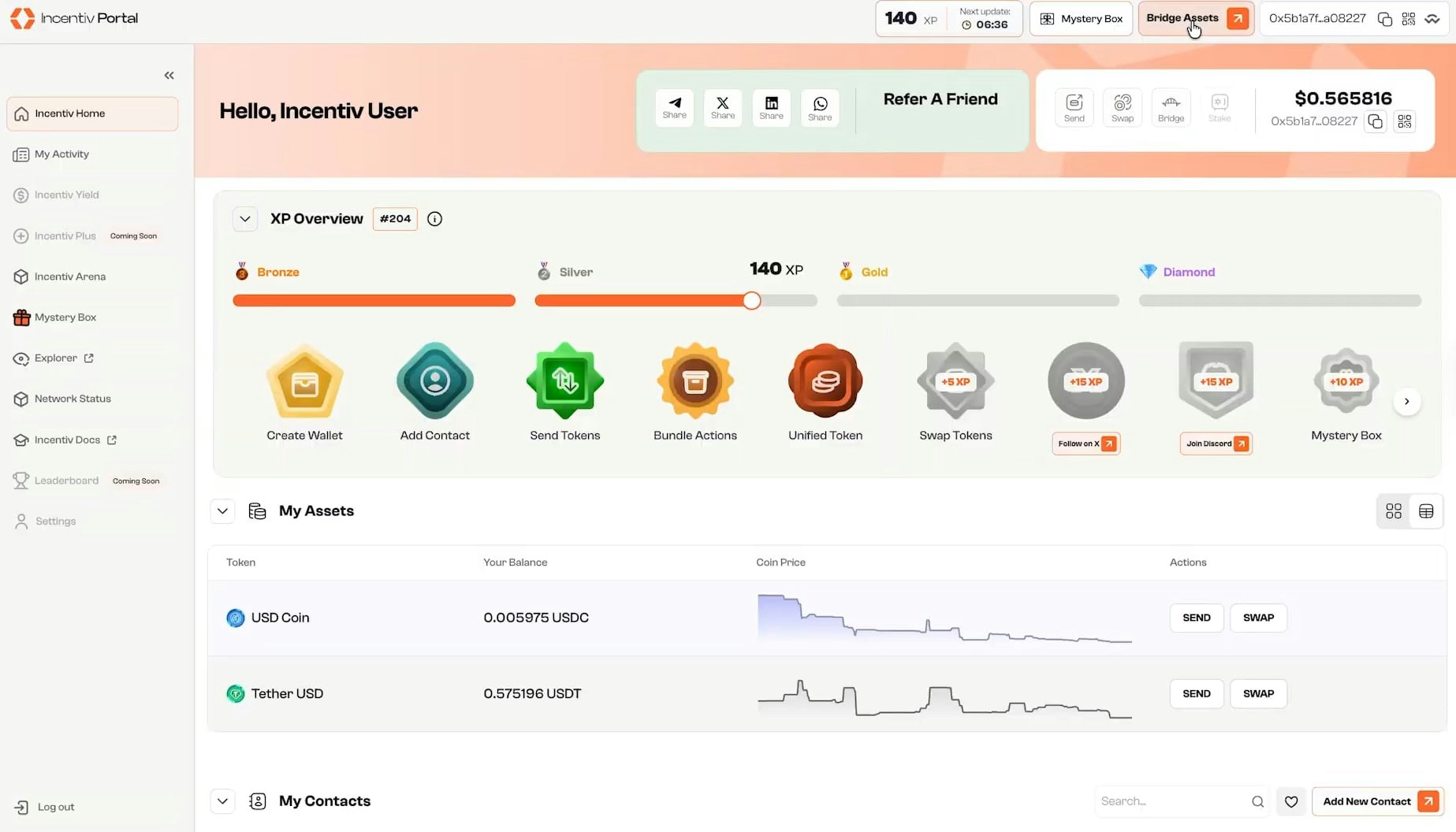
- Open the Incentiv Portal.
- Click Bridge Assets in the top navigation.
-
Connect your external wallet (e.g. MetaMask).
2
Step 2: Select Token
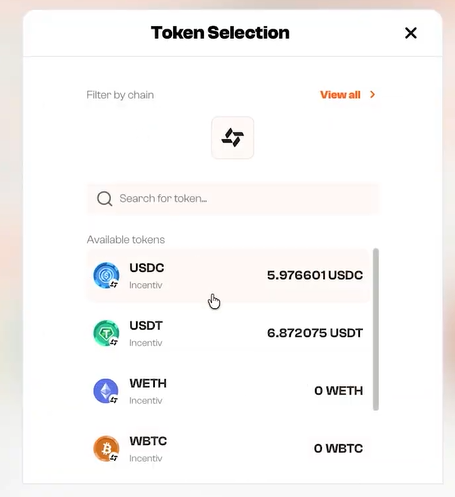
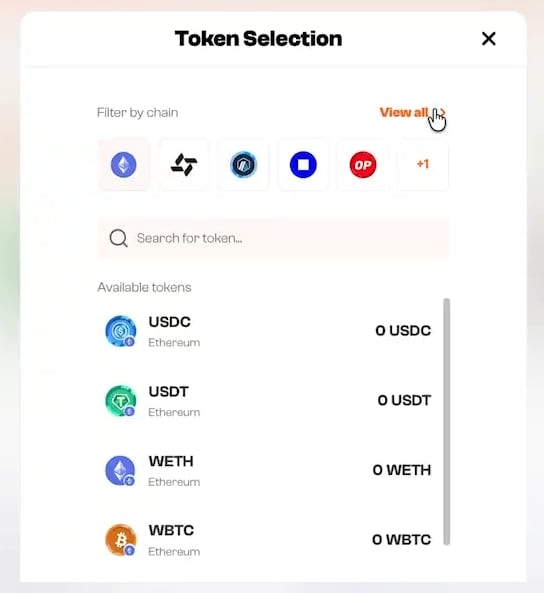
- Click the token selector.
- Choose the asset you want to bridge into Incentiv.
-
Tokens are grouped by network for easier discovery.
3
Step 3: Configure Transfer
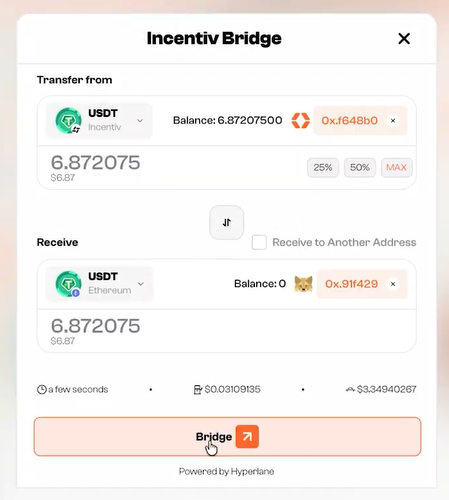
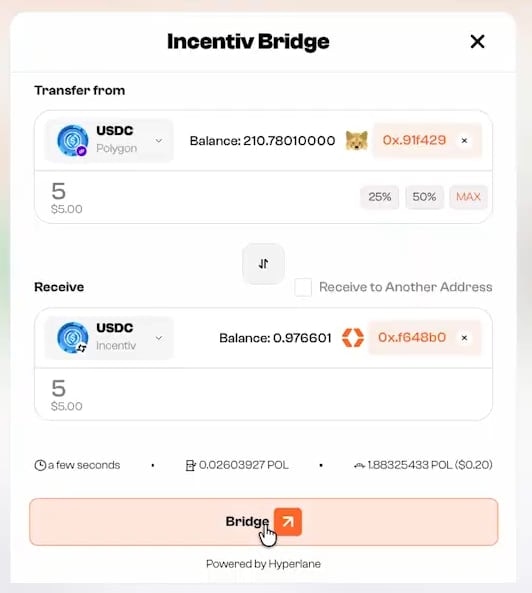
- Select the source network (external chain).
- Select Incentiv as the destination network.
- Enter the amount to bridge.
-
Optional: toggle Receive to Another Address if needed.
4
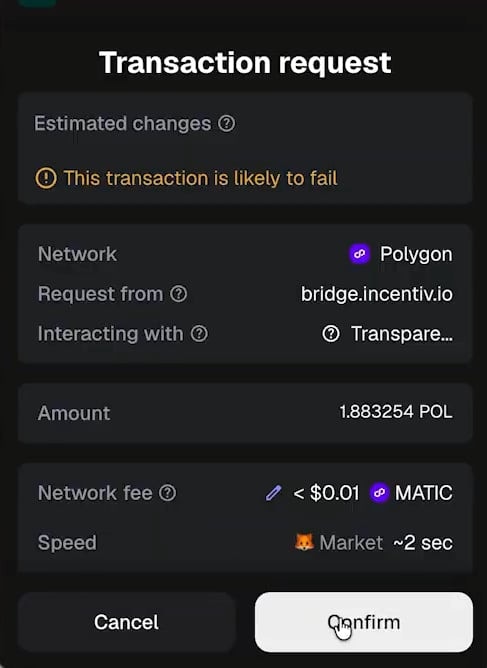
Step 4: Confirm Transaction in Wallet
- Click Bridge.
- Your wallet will prompt a transaction request.
- Review network, amount, and fees carefully.
-
Confirm the transaction.
5
Step 5: Bridge Completion
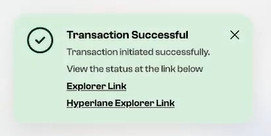
- The bridge transaction is submitted.
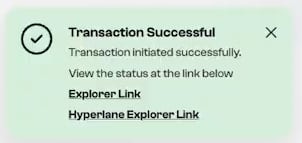
- You’ll see a success notification once confirmed.
-
Explorer links are provided for tracking.