

Unlocking the Papa Badge
To earn the Papa Badge, you must:- Manually connect your wallet to PapaPlay
- Select the Incentiv network
- Complete at least one successful transaction
How to Access PapaPlay
You can open PapaPlay in either of the following ways:- Go to the Incentiv portal and locate the badge labeled PAPA.
- Click the ? icon above the badge, then “Complete a transaction on PapaPlay” will appear.
- From the popup, click PapaPlay, or go directly to:
https://www.papaplay.io/
How the Papa Badge Works
1
Open PapaPlay
Navigate to PapaPlay from the Incentiv portal or by visiting the PapaPlay website directly.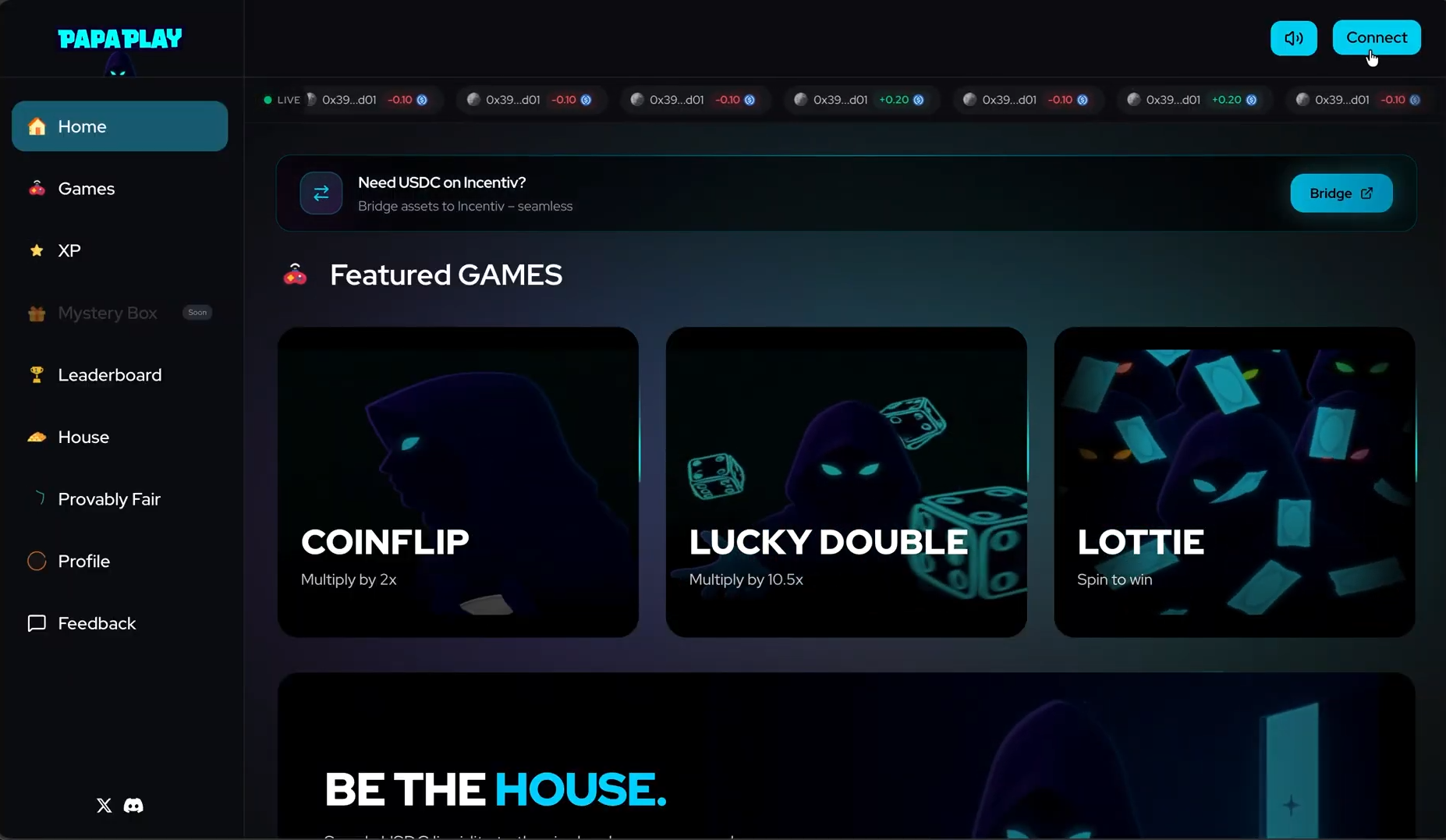
2
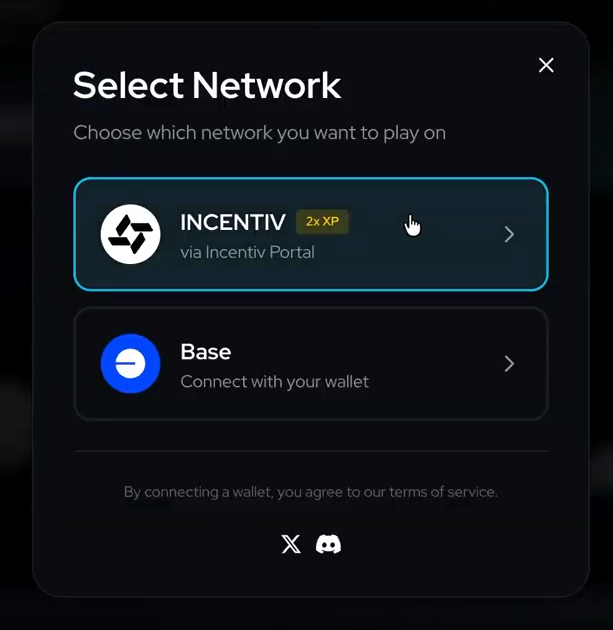
Manually Connect Your Wallet
Once on PapaPlay:
- Click Connect Wallet
- Select Network
- Choose Incentiv
-
Approve Connect to dApp in the wallet popup
3
Review PapaPlay Reminders
After approving the connection, PapaPlay reminders will appear.
- Read the reminders
-
Click Get Started
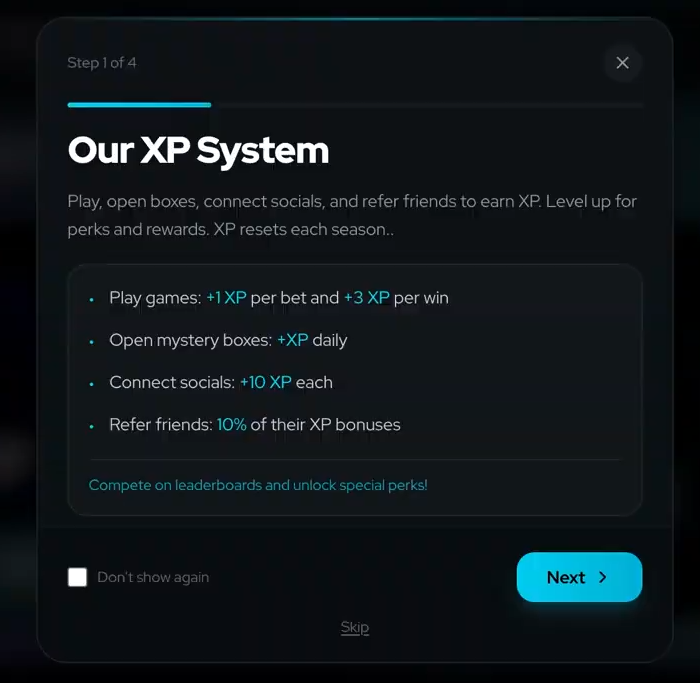
Your wallet is only connected after completing these steps.
4
Play a Game and Complete a Transaction
After your wallet is connected, choose any game below and complete a transaction.
- Lucky Double
- Lottie
- Coin Flip
Place a bet and complete a Lucky Double round.
Once the transaction is confirmed onchain, it will count toward the Papa Badge.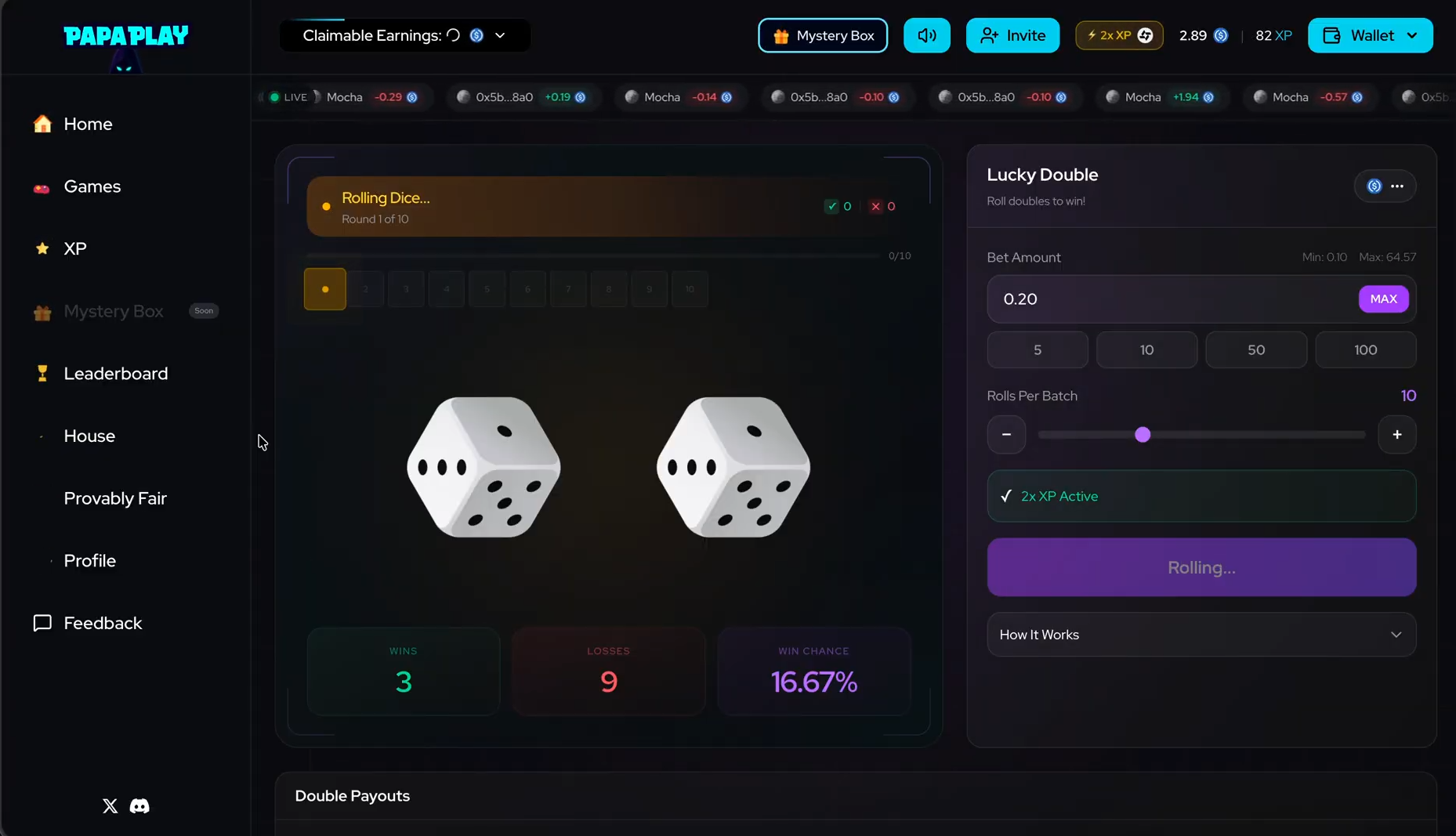
Once the transaction is confirmed onchain, it will count toward the Papa Badge.
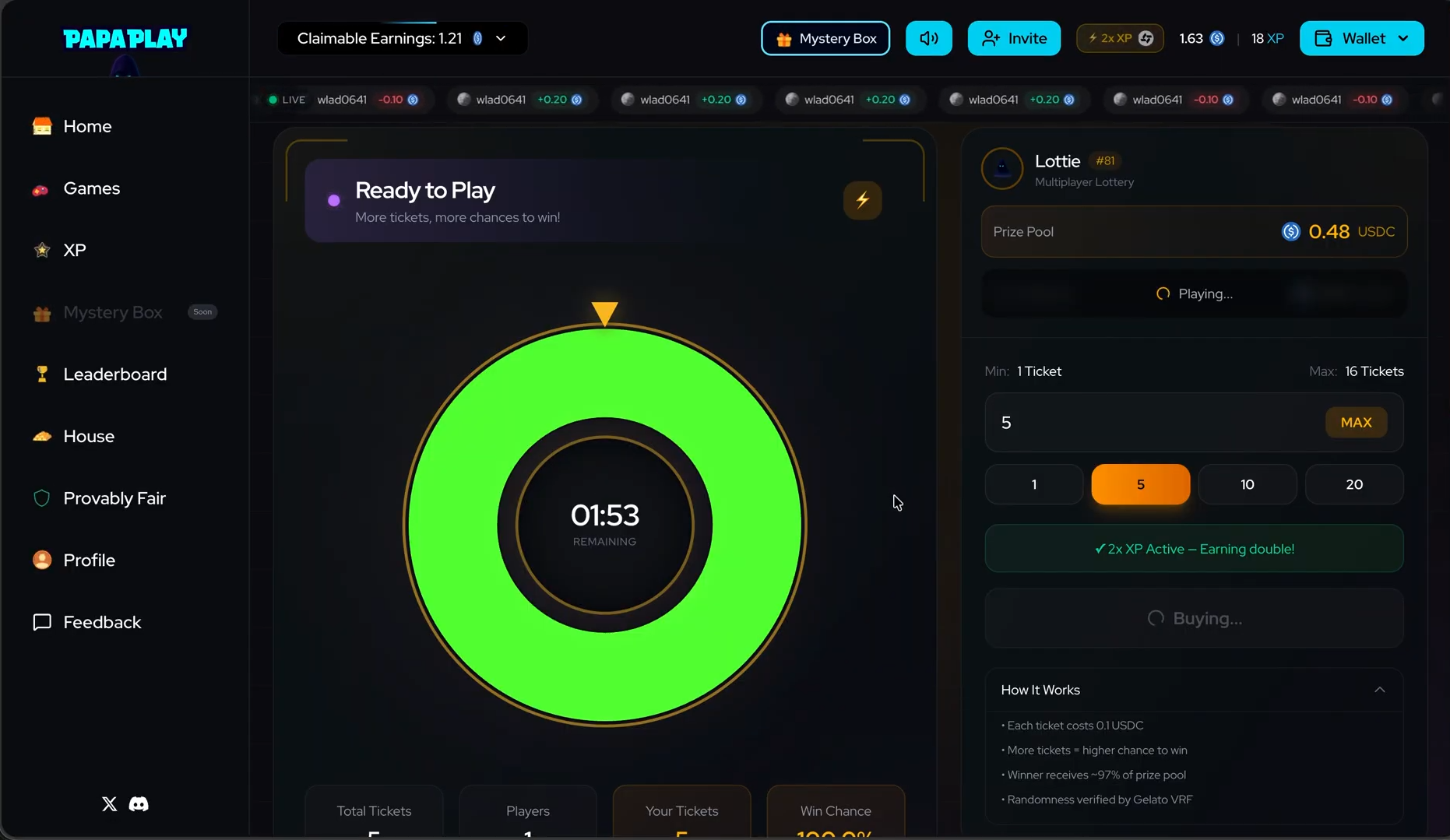
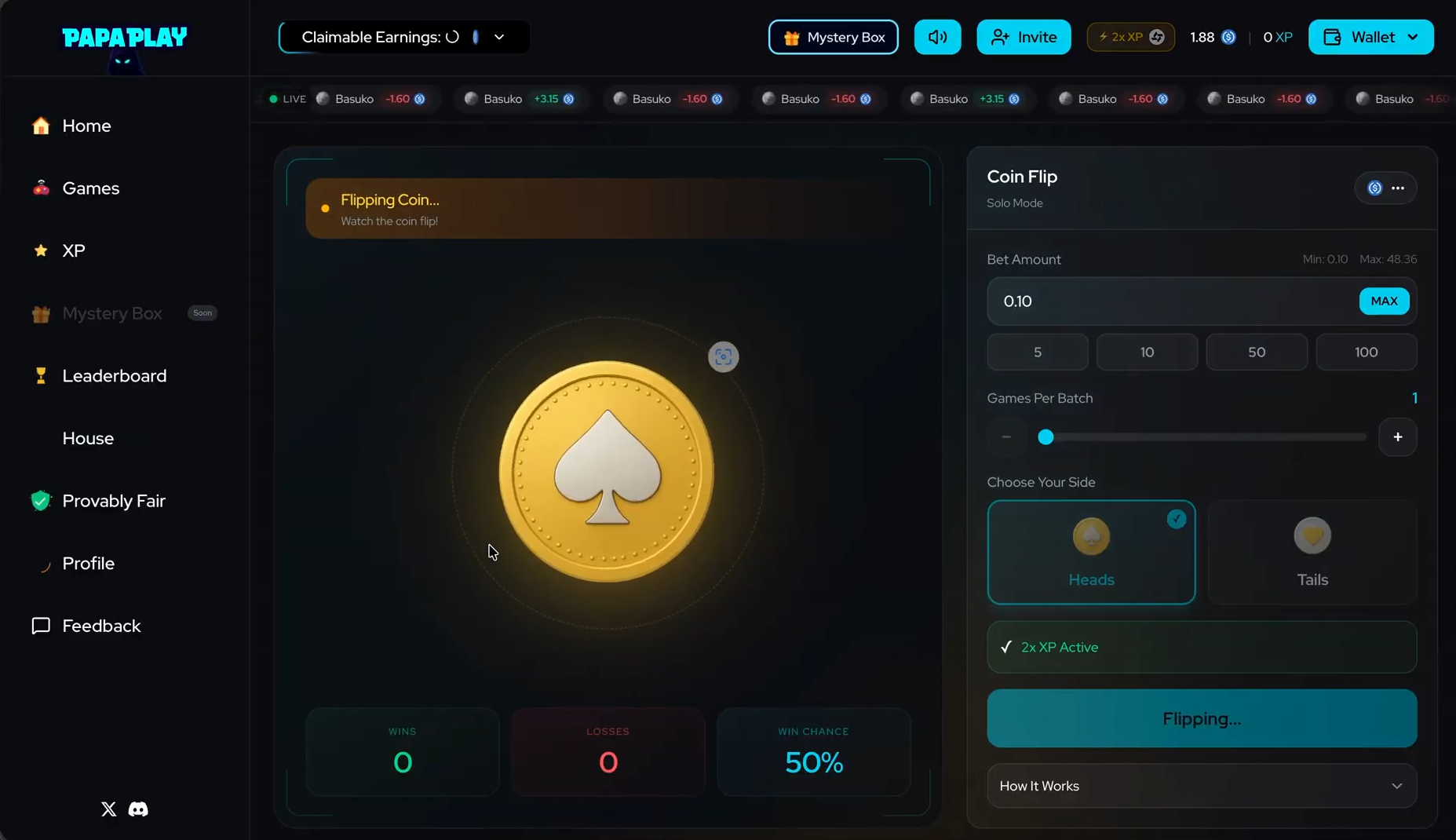
Any successful transaction qualifies. Once the transaction is confirmed onchain, the Papa Badge will be awarded in the Incentiv portal.
5
Receive the Papa Badge
After confirmation, return to the Incentiv portal to see your Papa Badge unlocked.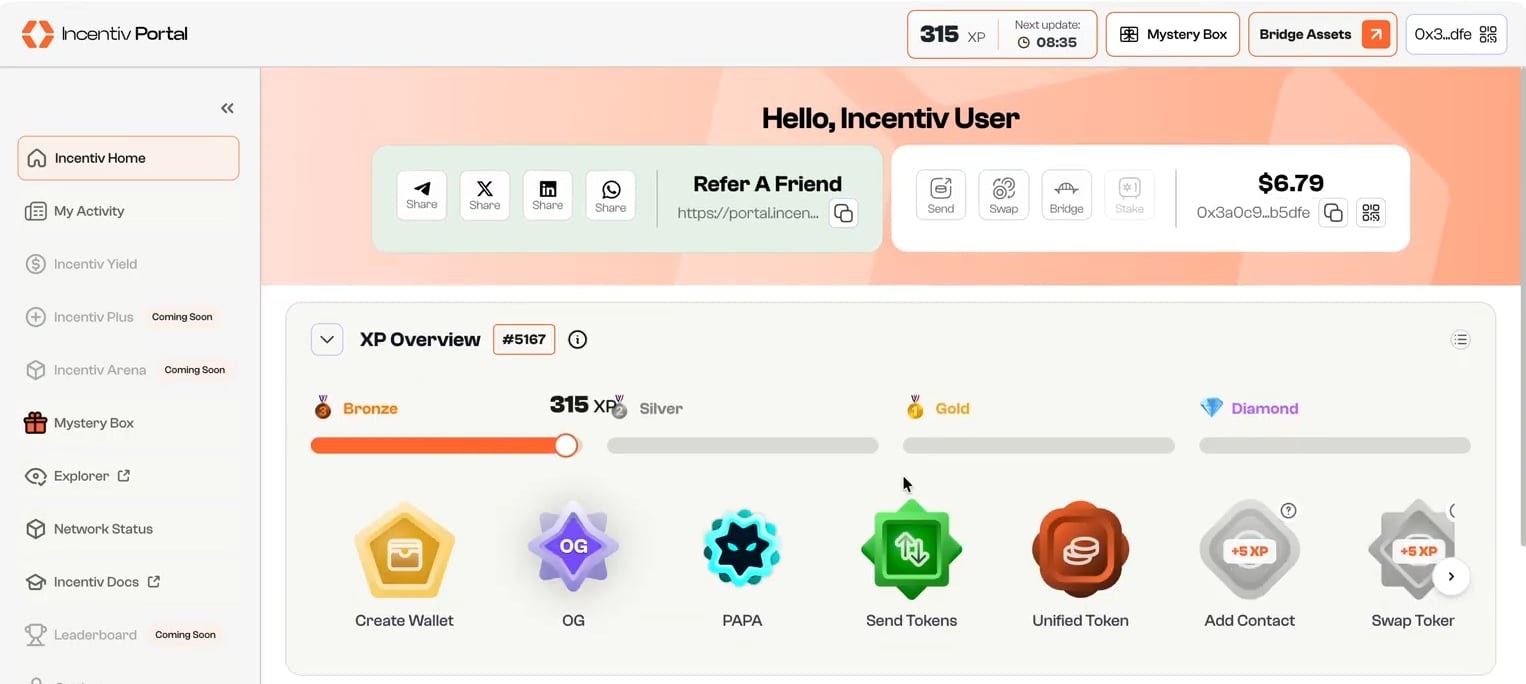
Papa Badge may take more or less 10 minutes to reflect on the portal.