> ## Documentation Index
> Fetch the complete documentation index at: https://docs.incentiv.io/llms.txt
> Use this file to discover all available pages before exploring further.
# Manage Tokens
The **Manage Tokens** feature allows you to control which assets appear in your wallet within the Incentiv Portal. From the **My Assets** section, you can open **Manage Tokens** to view your current tokens or import additional assets to display in your wallet.
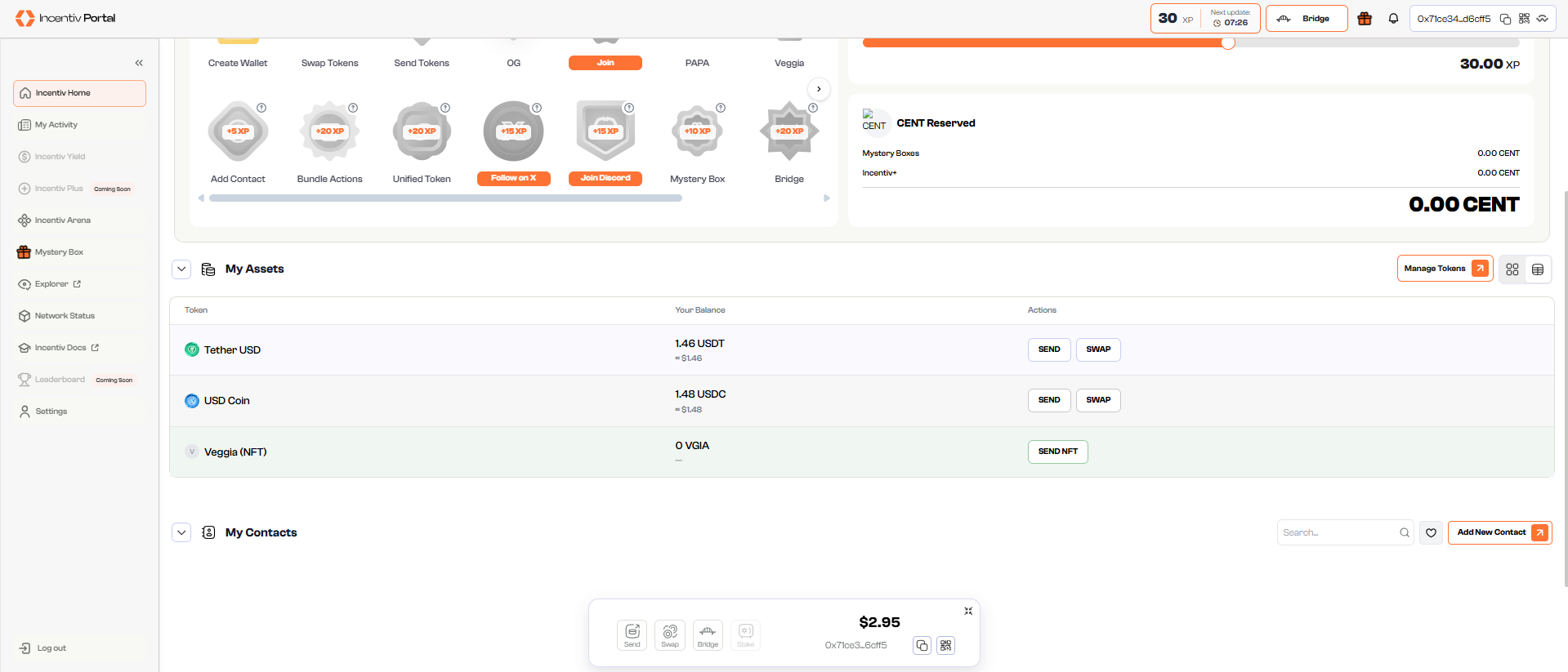 1. Open **portal.incentiv.io** in your browser. 2. Log in to your Incentiv account using **MetaMask** or **Passkey**. 3. Navigate to the **Manage Assets** section of the dashboard.
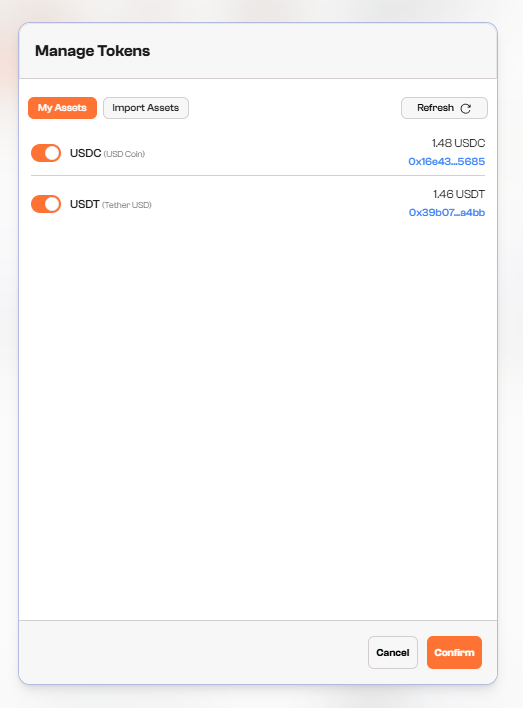 1. Click the **Manage Tokens** button to open the panel.
2. View all tokens currently enabled in your wallet under the **My Assets** tab.
1. Click the **Manage Tokens** button to open the panel.
2. View all tokens currently enabled in your wallet under the **My Assets** tab.
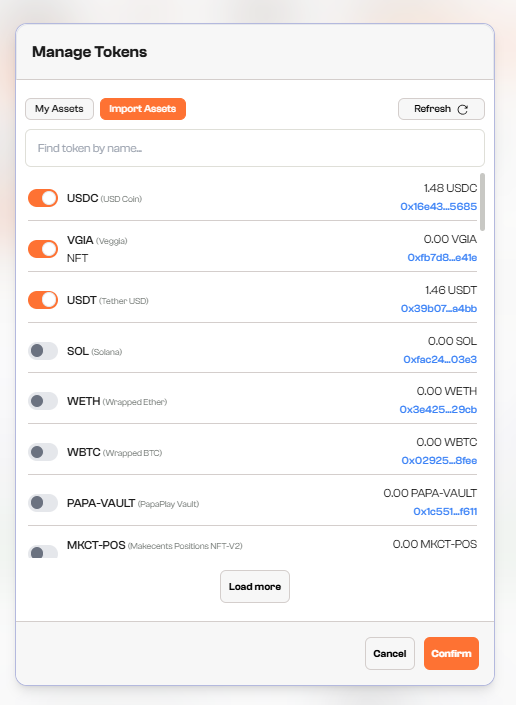 1. Switch to the **Import Assets** tab.
2. Browse the list of available tokens.
3. Use the toggle next to a token to **turn it on or off**.
4. Enabled tokens will appear in your **My Assets** wallet view.
Turning a token on or off only affects its visibility in your portal wallet. It does not move nor transfer any assets on-chain.
1. Switch to the **Import Assets** tab.
2. Browse the list of available tokens.
3. Use the toggle next to a token to **turn it on or off**.
4. Enabled tokens will appear in your **My Assets** wallet view.
Turning a token on or off only affects its visibility in your portal wallet. It does not move nor transfer any assets on-chain.