> ## Documentation Index
> Fetch the complete documentation index at: https://docs.incentiv.io/llms.txt
> Use this file to discover all available pages before exploring further.

# Send Tokens

Token transfers on Incentiv are executed through **smart wallets** using **Account Abstraction**. This allows for simplified, gas-efficient transactions with support for batch processing and fee sponsorship. All transfers are routed through the Incentiv Portal and bundled via the alt mempool, ensuring secure and seamless delivery to the recipient.

## Badge Tiers

Each successful send transaction earns you **Bonus XP** and progresses your **Send Badge Tier**. The more transactions you complete, the higher your tier and rewards.

<div style={{ display: "flex", justifyContent: "center" }}>
  | Tier | Name    | Requirement | Bonus XP |
  | ---- | ------- | ----------- | -------- |
  | T1   | Wood    | 1 send      | 2 XP     |
  | T2   | Stone   | 100 sends   | 150 XP   |
  | T3   | Bronze  | 250 sends   | 375 XP   |
  | T4   | Silver  | 500 sends   | 750 XP   |
  | T5   | Gold    | 1500 sends  | 2,250 XP |
  | T6   | Diamond | 4000 sends  | 6,000 XP |
</div>

<Note>
  XP is automatically credited after transaction confirmation.
</Note>

<Steps>
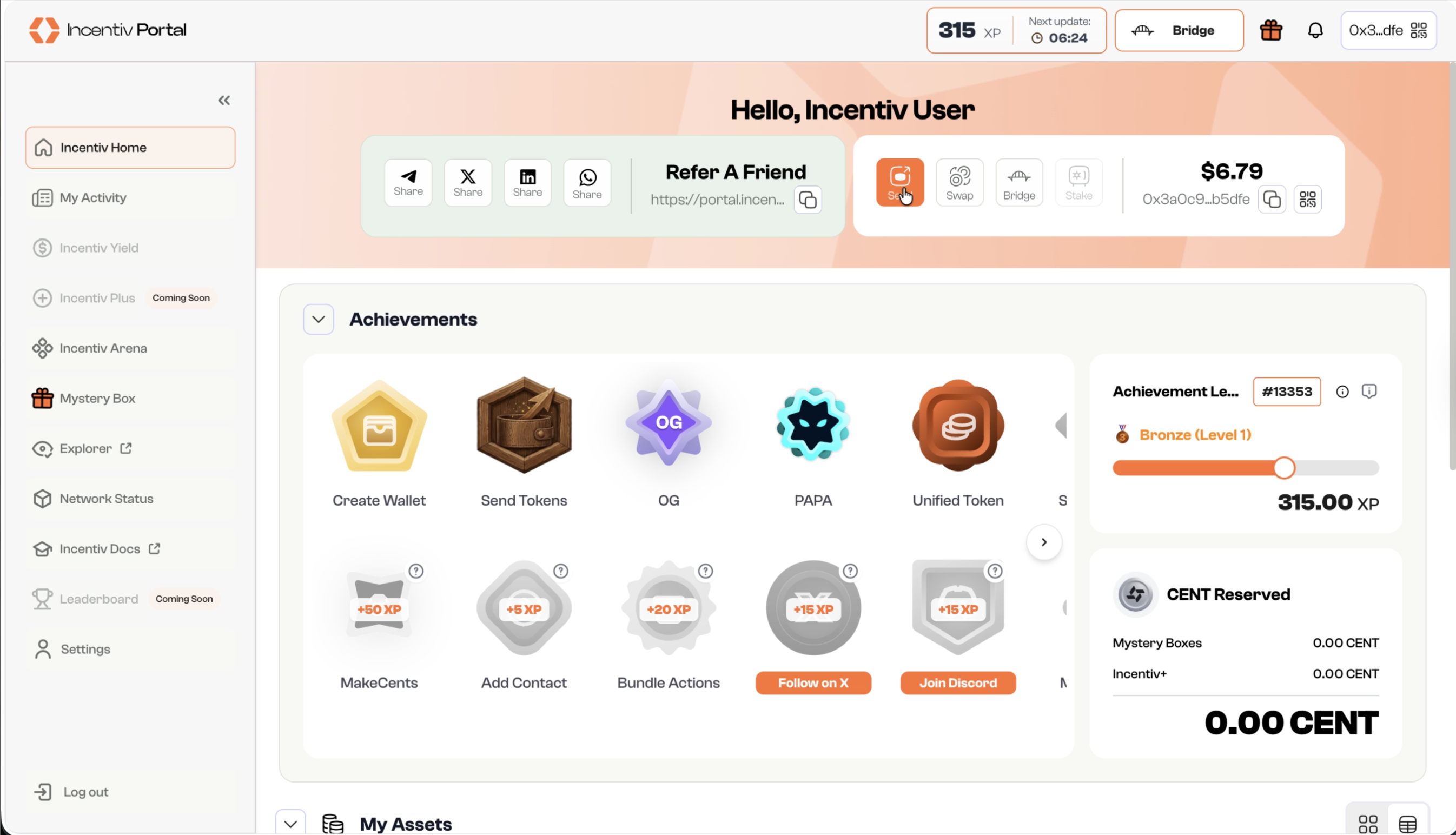
  <Step title="Step 1: Navigate and Click the Send button">
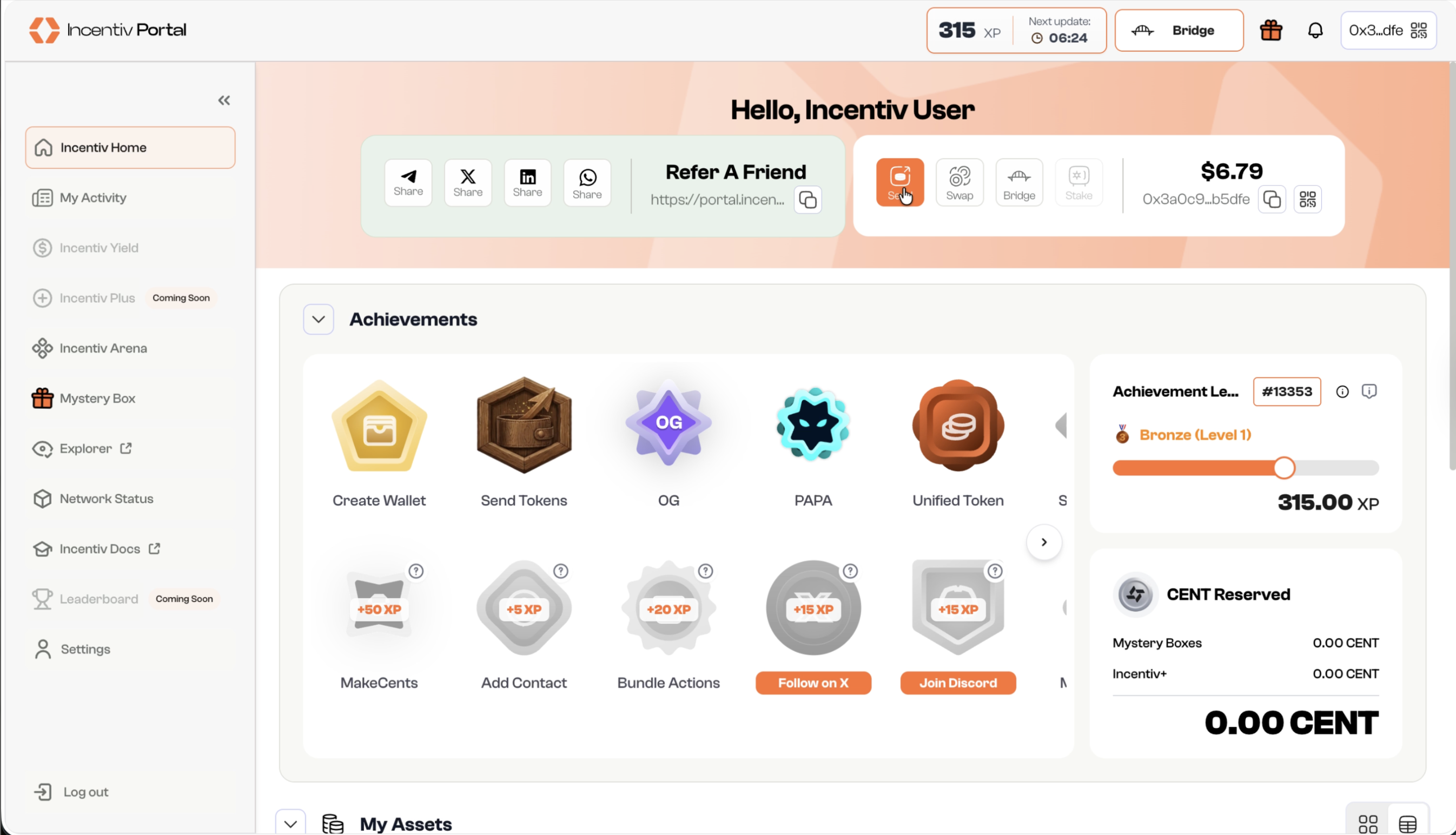
    * Locate the **“Send”** button in the panel beside your username or the pop-up menu.
    * Click **“Send”** to initiate the transfer.

    <img src="https://mintcdn.com/incentiv/TZqmDNm6_yR-tgwd/images/Portal_Send_Step1-1.png?fit=max&auto=format&n=TZqmDNm6_yR-tgwd&q=85&s=56bba4349e886cc53c0069ae2c752bf4" alt="Send" className="hidden dark:block" width="2692" height="1544" data-path="images/Portal_Send_Step1-1.png" />

    <img src="https://mintcdn.com/incentiv/TZqmDNm6_yR-tgwd/images/Portal_Send_Step1.png?fit=max&auto=format&n=TZqmDNm6_yR-tgwd&q=85&s=a4f5bf61890a2125b26bb769628506ac" alt="Send" className="dark:hidden" width="2692" height="1544" data-path="images/Portal_Send_Step1.png" />

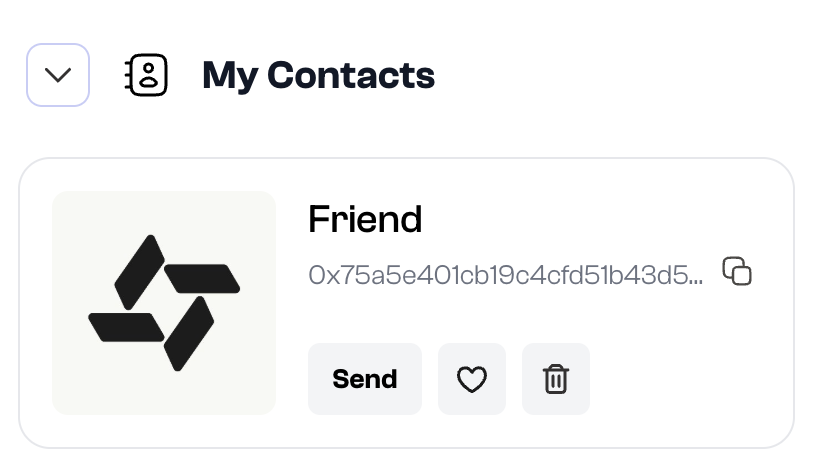
    **Alternate** **Step: Select a Contact**

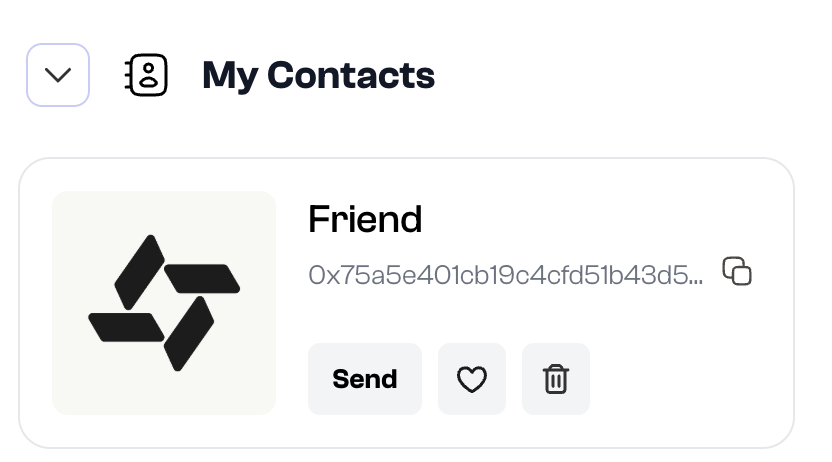
    * Navigate to **“My Contacts”** section in the Incentiv Portal.
    * Select the desired contact you wish to send assets to and click **“Send“**
    <img src="https://mintcdn.com/incentiv/TZqmDNm6_yR-tgwd/images/Portal_Send_AltStep1-1.png?fit=max&auto=format&n=TZqmDNm6_yR-tgwd&q=85&s=3f1b3a83ae2f5e91e271066e8ce35f79" alt="Add Contacts" className="hidden dark:block" width="832" height="462" data-path="images/Portal_Send_AltStep1-1.png" />

    <img src="https://mintcdn.com/incentiv/TZqmDNm6_yR-tgwd/images/Portal_Send_AltStep1.png?fit=max&auto=format&n=TZqmDNm6_yR-tgwd&q=85&s=43ba957e0b926ca66cea563fc3ede9c3" alt="Add Contacts" className="dark:hidden" width="832" height="462" data-path="images/Portal_Send_AltStep1.png" />
  </Step>

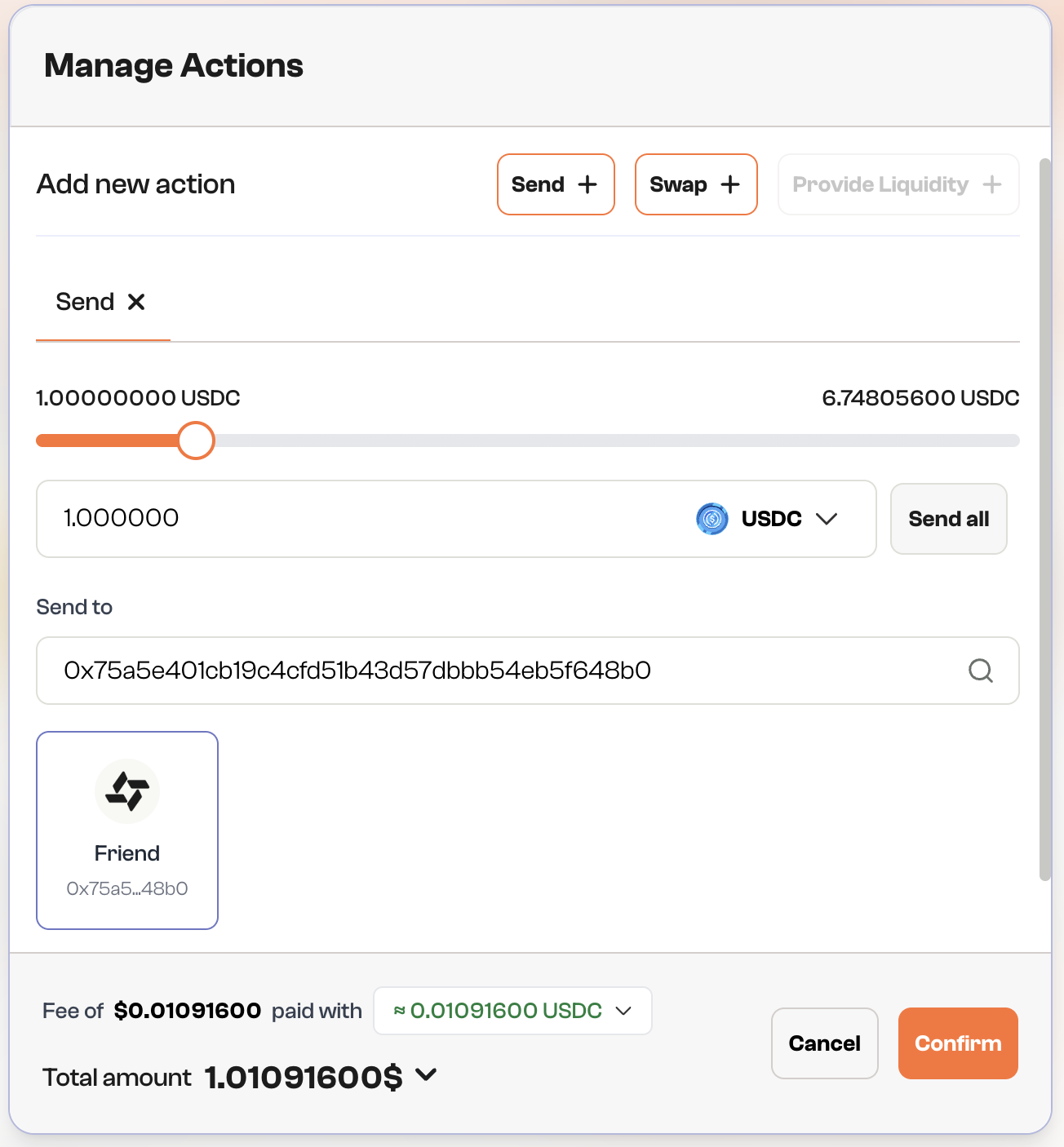
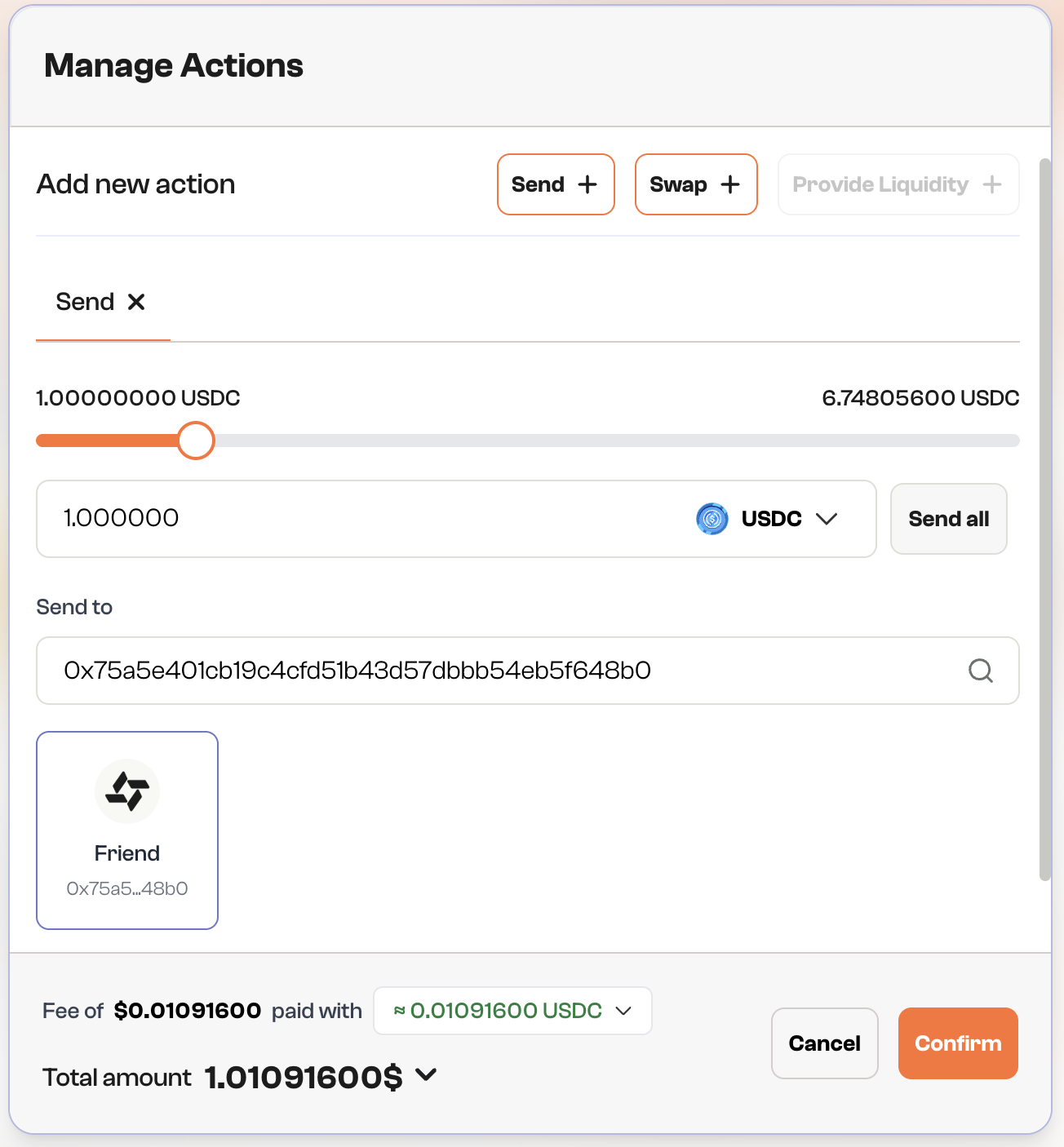
  <Step title="Step 2: Fill Amount and Recipient Address">
    * Enter the amount of tokens you want to send.
    * Input the recipient’s wallet address or select a contact from your list.

    <img src="https://mintcdn.com/incentiv/TZqmDNm6_yR-tgwd/images/Portal_Send_Step2-1.png?fit=max&auto=format&n=TZqmDNm6_yR-tgwd&q=85&s=e174f3743563984645725b3e64fff6e7" alt="Send" className="hidden dark:block" width="1304" height="1406" data-path="images/Portal_Send_Step2-1.png" />

    <img src="https://mintcdn.com/incentiv/TZqmDNm6_yR-tgwd/images/Portal_Send_Step2.png?fit=max&auto=format&n=TZqmDNm6_yR-tgwd&q=85&s=82aca446f9fff416a7c4366015dc2939" alt="Send" className="dark:hidden" width="1304" height="1406" data-path="images/Portal_Send_Step2.png" />

    <Note>
      Fun Fact: You can select a contact from this page
    </Note>
  </Step>

  <Step title="Step 3: Review & Confirm">
    * Verify transaction details: recipient address, amount, and gas fees.
    * Click **“Confirm”** to proceed.
  </Step>

  <Step title="Step 4:  Validation">
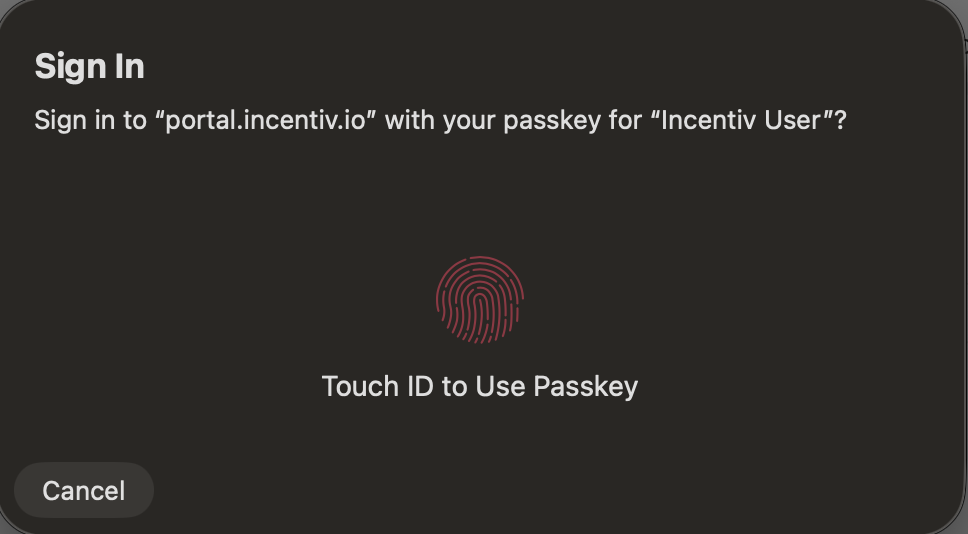
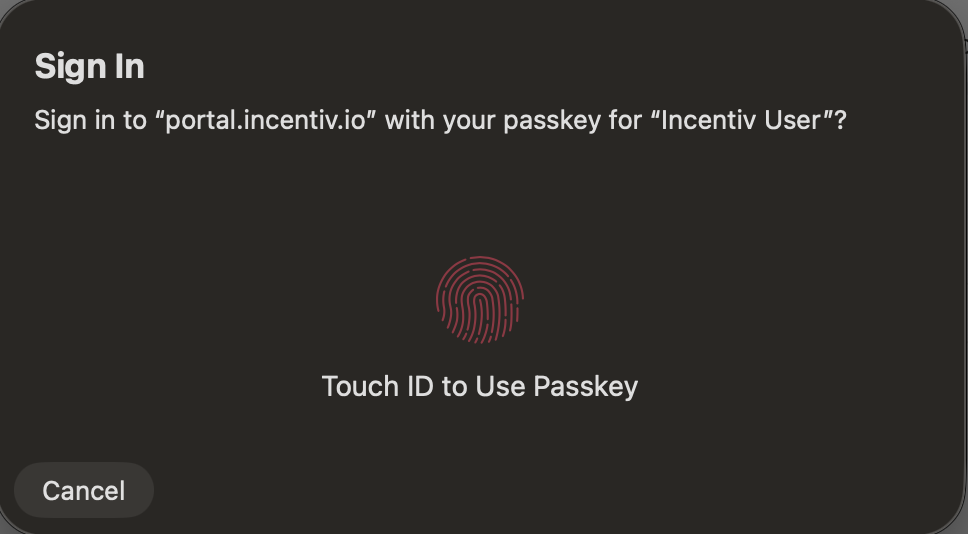
    * A prompt will appear asking you to verify your identity using biometric authentication (e.g., Touch ID or Face ID).

    <img src="https://mintcdn.com/incentiv/pQLj5rKse6_oFwM_/images/Portal_Send_Step3-1.png?fit=max&auto=format&n=pQLj5rKse6_oFwM_&q=85&s=84bd4ebeb699035f1e7853f2afe53314" alt="Send" className="hidden dark:block" width="968" height="534" data-path="images/Portal_Send_Step3-1.png" />

    <img src="https://mintcdn.com/incentiv/pQLj5rKse6_oFwM_/images/Portal_Send_Step3.png?fit=max&auto=format&n=pQLj5rKse6_oFwM_&q=85&s=a3eda094342dbcaf1bc98f8fadcdc7ff" alt="Send" className="dark:hidden" width="968" height="534" data-path="images/Portal_Send_Step3.png" />

    * Confirm with biometrics or select Use a different passkey.
    * You can select **"Cancel"** to abort the transaction.

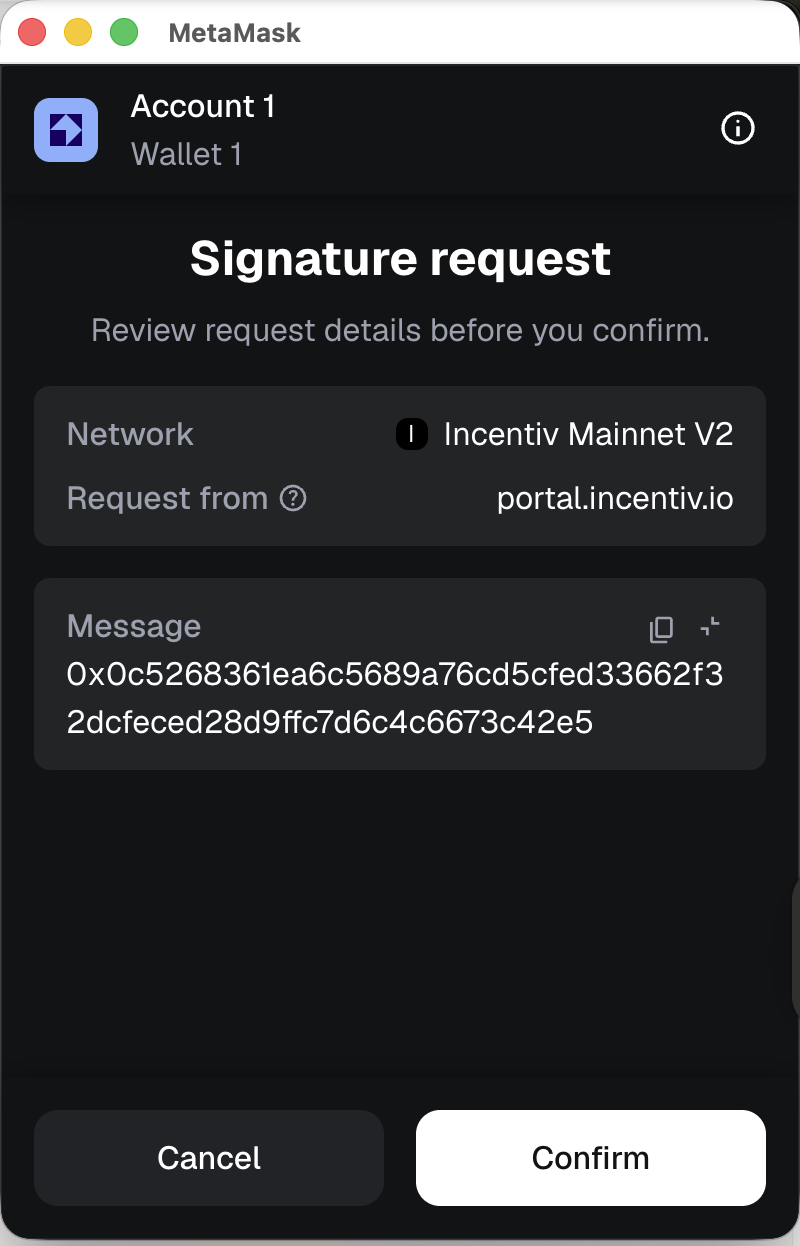
    **Validation (Wallet Extension)**

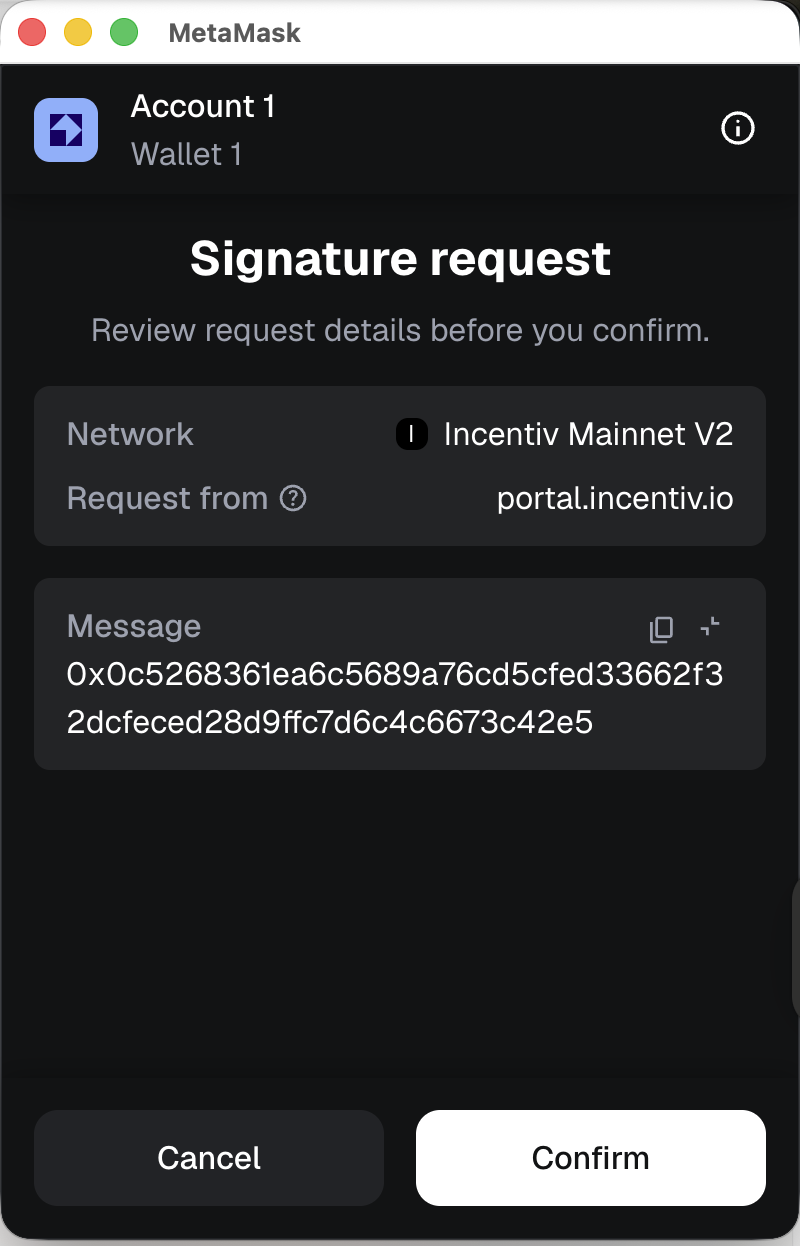
    * A prompt will appear from your registered external wallet extension (Metamask or Wallet Connect) to verify the transaction
    * Check the details and sign the transaction from the extension
    <img src="https://mintcdn.com/incentiv/pQLj5rKse6_oFwM_/images/Screenshot2026-02-19at10.18.12PM-1.png?fit=max&auto=format&n=pQLj5rKse6_oFwM_&q=85&s=7170358add834fdeafb2d6f8691bdeed" alt="Send" className="hidden dark:block mx-auto" style={{ width:"38%" }} width="800" height="1246" data-path="images/Screenshot2026-02-19at10.18.12PM-1.png" />

    <img src="https://mintcdn.com/incentiv/pQLj5rKse6_oFwM_/images/Screenshot2026-02-19at10.18.12PM.png?fit=max&auto=format&n=pQLj5rKse6_oFwM_&q=85&s=de9eaa37061acd3205da39b50274aedc" alt="Send" className="dark:hidden mx-auto" style={{ width:"38%" }} width="800" height="1246" data-path="images/Screenshot2026-02-19at10.18.12PM.png" />
  </Step>

  <Step title="Step 5: Transaction Confirmation">
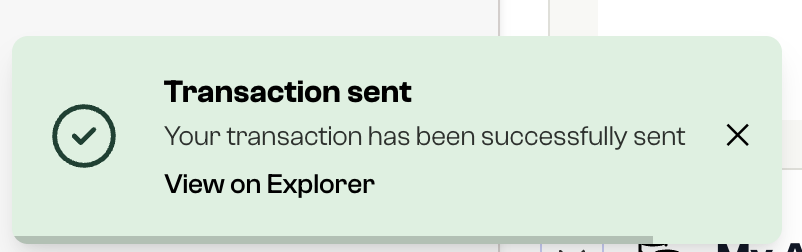
    * You’ll receive a notification once the transaction is confirmed.
    * The recipient’s wallet will show the updated balance, and the transaction will appear in your Transaction History.
    * You automatically earn XP and progress toward the next **Send Badge Tier**.

          <img src="https://mintcdn.com/incentiv/zT-gFCMCRjqZhBzr/images/TransactionSuccesful-1.png?fit=max&auto=format&n=zT-gFCMCRjqZhBzr&q=85&s=7045745aeb02fcd8822399fdbdbb0f3e" alt="Send" width="802" height="252" data-path="images/TransactionSuccesful-1.png" />
  </Step>
</Steps>

<Tip>
  Your first successful transfer unlocks **T1 Send Badge**. Keep sending to level up and maximize your XP rewards.
</Tip>

# Video Tutorial: Send Tokens

Note: This video was taken on the mainnet V1.

<iframe width="560" height="315" src="https://www.youtube.com/embed/wFwrSD8CbGc?si=Wp5aZPiaCm_TsGVE" title="YouTube video player" frameborder="0" allow="accelerometer; autoplay; clipboard-write; encrypted-media; gyroscope; picture-in-picture; web-share" referrerpolicy="strict-origin-when-cross-origin" allowfullscreen />