> ## Documentation Index
> Fetch the complete documentation index at: https://docs.incentiv.io/llms.txt
> Use this file to discover all available pages before exploring further.
# Receive Tokens
To receive tokens, simply copy your **0x wallet address** from the Dashboard or use your QR code and share it with the sender. All transactions must go through the **Incentiv Portal**, direct transfers are not supported.
Human-readable names are not yet available on testnet.
* Go to your **Wallet Dashboard**.
* Copy your wallet’s **0x address** (e.g., `0x1234...abcd`).
* This is your **receiving address** for testnet tokens.
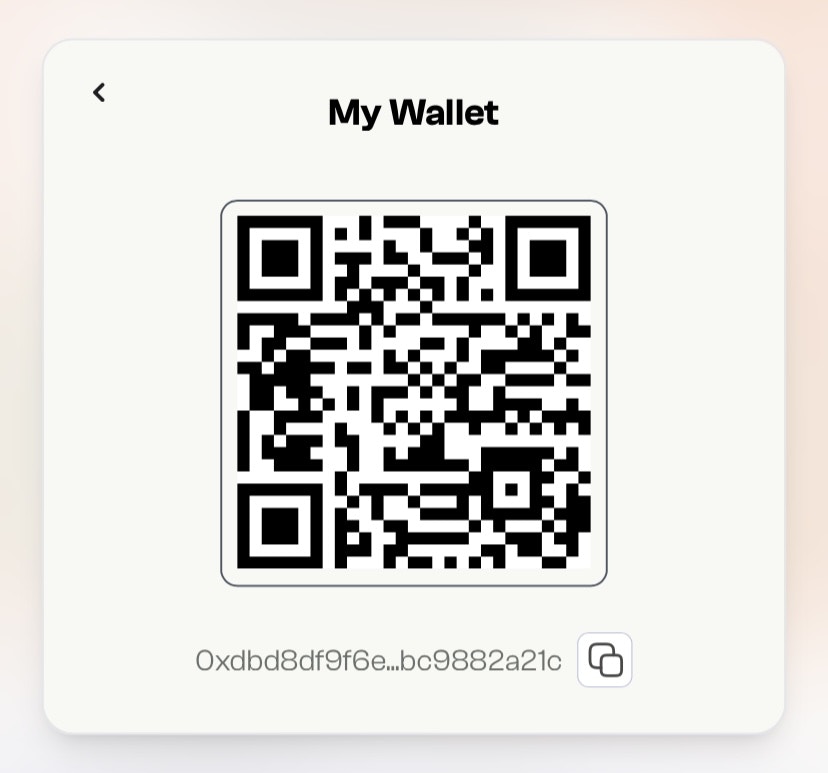 * Send your 0x address to anyone who wants to send you tokens.
* They’ll use this address in the Incentiv Portal or faucet to complete the transfer.
**Coming soon to mainnet:** use human-readable names like `centi.incentiv`, share QR codes or ENS-style links, and skip copying long 0x addresses.
## \[Coming Soon] Pending Transactions
* Once a transaction is approved, you’ll see the tokens reflected in your **balance**.
* Check the **Home Dashboard** or **Transaction History** to verify receipt.
See [Whitelist and Blacklist](https://slite.com/api/public/notes/0LgDL8Kucyaxtk/redirect) for more details
* Send your 0x address to anyone who wants to send you tokens.
* They’ll use this address in the Incentiv Portal or faucet to complete the transfer.
**Coming soon to mainnet:** use human-readable names like `centi.incentiv`, share QR codes or ENS-style links, and skip copying long 0x addresses.
## \[Coming Soon] Pending Transactions
* Once a transaction is approved, you’ll see the tokens reflected in your **balance**.
* Check the **Home Dashboard** or **Transaction History** to verify receipt.
See [Whitelist and Blacklist](https://slite.com/api/public/notes/0LgDL8Kucyaxtk/redirect) for more details