> ## Documentation Index
> Fetch the complete documentation index at: https://docs.incentiv.io/llms.txt
> Use this file to discover all available pages before exploring further.

# Contacts

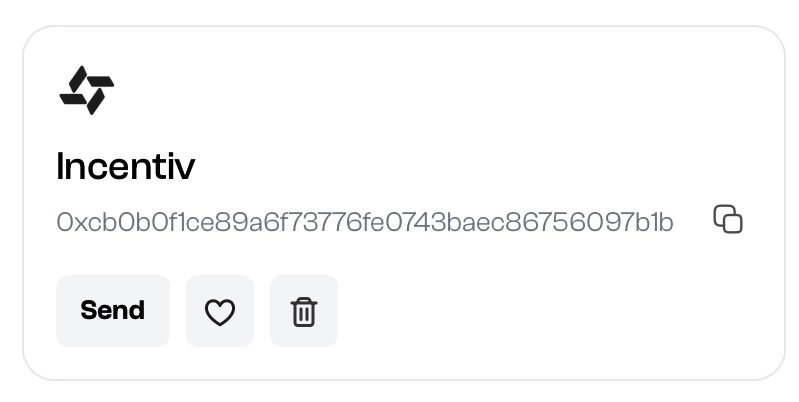
The **Contacts** feature allows users to save, delete, and favorite wallet addresses with custom labels for easier identification. Once added, these contacts can be selected during transactions, streamlining token transfers and reducing the risk of errors.

## Table of Contents

* [Add a New Contact](#add-a-new-contact)
* [Delete a Contact](#delete-a-contact)
* [Favorite a Contact](#favorite-a-contact)
* [Video Tutorial](#video-tutorial)

## Add a New Contact

<Steps>
  <Step title="Step 1: Access the My Contacts Section">
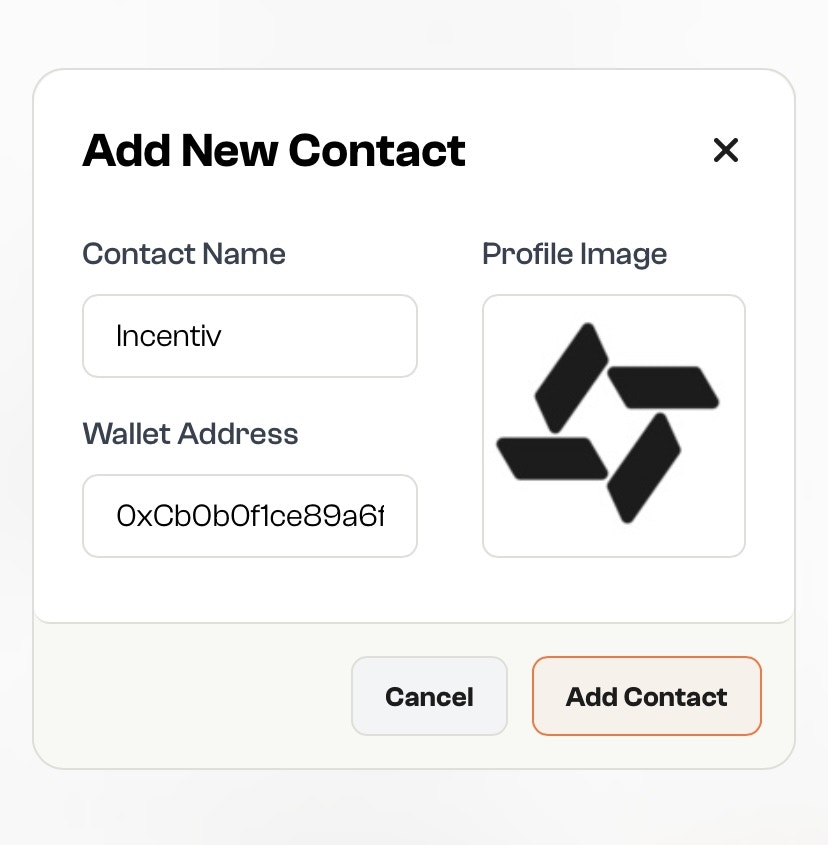
    Click on **"Add New Contact"** to begin the process.
  </Step>

  <Step title="Step 2: Enter Contact Details">
    **Contact name:** Enter the contact name you want to add.

    **Wallet Address:** Enter the wallet address of the contact you want to add.

    **Optional Details:** You can add a profile picture, to personalize the contact.

    ```
    Minimum Size: 254px by 254px

    Recommended Dimension Ratio: 1:1

    File Format: JPG, PNG
    ```

    <Note>
      Fun Fact: You can upload any photo from your computer as their profile image!
    </Note>

    <img src="https://mintcdn.com/incentiv/jG1TMht-OqKz6T6Q/docs/images/AddContact1.jpeg?fit=max&auto=format&n=jG1TMht-OqKz6T6Q&q=85&s=9c33cf9a75899889e9cf4d308e951075" alt="Add Contacts" width="828" height="845" data-path="docs/images/AddContact1.jpeg" />
  </Step>

  <Step title="Step 3: Save the Contact">
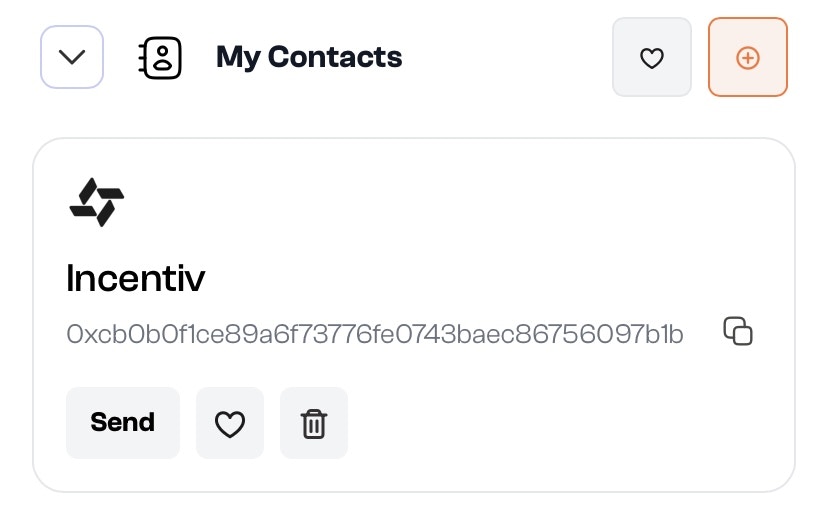
    Click **“Add Contact”** to add the contact to your list.

    <img src="https://mintcdn.com/incentiv/jG1TMht-OqKz6T6Q/docs/images/AddContact2.jpeg?fit=max&auto=format&n=jG1TMht-OqKz6T6Q&q=85&s=2e0aa14a58d3c2e710c1f88871b411bc" alt="Add Contacts" width="828" height="528" data-path="docs/images/AddContact2.jpeg" />

    The contact will now appear in your address book, making it easier to send tokens with them in the future.
  </Step>
</Steps>

<Tip>
  Hey, you just earned a Badge for your new Contact Added on Incentiv!
</Tip>

## Delete a Contact

<Steps>
  <Step title="Step 1: Open the Contact List">
    Navigate to your **Contacts** section where all saved contacts are shown.

    <img src="https://mintcdn.com/incentiv/zY94S9KAVACpQxjS/docs/images/DeleteContact1.jpeg?fit=max&auto=format&n=zY94S9KAVACpQxjS&q=85&s=895096b6663323a80f94a8853687658b" alt="Delete Contacts" width="799" height="402" data-path="docs/images/DeleteContact1.jpeg" />
  </Step>

  <Step title="Step 2: Click the Trash Icon">
    Click the **trash icon** next to the contact you want to delete.
  </Step>

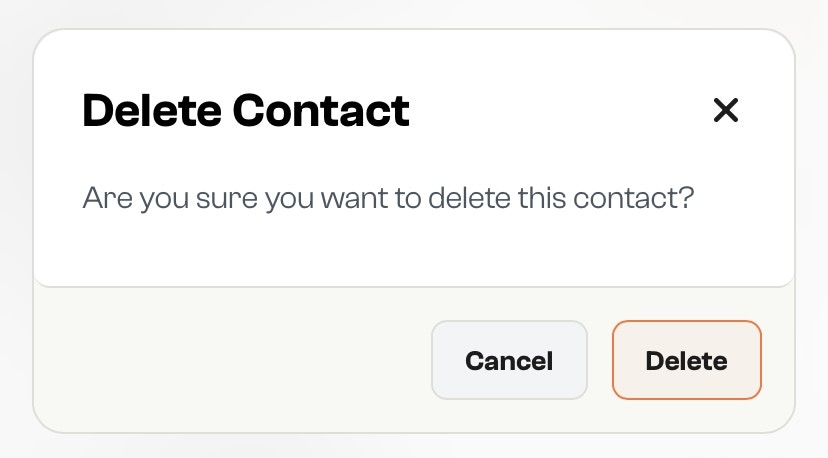
  <Step title="Step 3: Confirm Deletion">
    Confirm the action to permanently remove the contact from your list.

    This action cannot be undone.

    <img src="https://mintcdn.com/incentiv/zY94S9KAVACpQxjS/docs/images/DeleteContact2.jpeg?fit=max&auto=format&n=zY94S9KAVACpQxjS&q=85&s=866984c65198db188b49ce0c52da9379" alt="Delete Contacts" width="828" height="458" data-path="docs/images/DeleteContact2.jpeg" />
  </Step>
</Steps>

## Favorite a Contact

<Steps>
  <Step title="Step 1: Open the Contact List">
    Go to your **Contacts** section where all saved entries are displayed.
  </Step>

  <Step title="Step 2: Tap the Heart Icon">
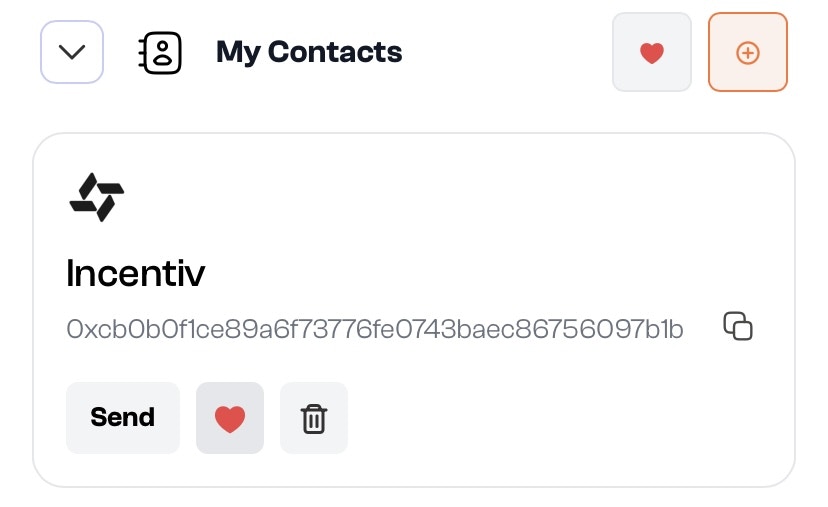
    Find the contact you want to favorite and click the **heart icon** beside their name.

    <img src="https://mintcdn.com/incentiv/zY94S9KAVACpQxjS/docs/images/FavoriteContact.jpeg?fit=max&auto=format&n=zY94S9KAVACpQxjS&q=85&s=8485d94d750d644becbdea3798ff7b6c" alt="Favorite Contacts" width="828" height="507" data-path="docs/images/FavoriteContact.jpeg" />
  </Step>

  <Step title="Step 3: View Favorites Easily">
    Favorited contacts are now pinned or prioritized in your list for quick access during transactions.
  </Step>
</Steps>

# Video Tutorial: Add Contact

<iframe width="560" height="315" src="https://www.youtube.com/embed/qsLw908DdKA?si=POC6EUFu_G2kwbUA&start=4" title="YouTube video player" frameborder="0" allow="accelerometer; autoplay; clipboard-write; encrypted-media; gyroscope; picture-in-picture; web-share" referrerpolicy="strict-origin-when-cross-origin" allowfullscreen />