> ## Documentation Index
> Fetch the complete documentation index at: https://docs.incentiv.io/llms.txt
> Use this file to discover all available pages before exploring further.
# Bundle Actions
With **Incentiv’s Bundle** feature, you can seamlessly swap tokens and send them to a contact, all in a single transaction, even if you don't hold the target token yet.
For this example, we are doing a swap and send bundle action
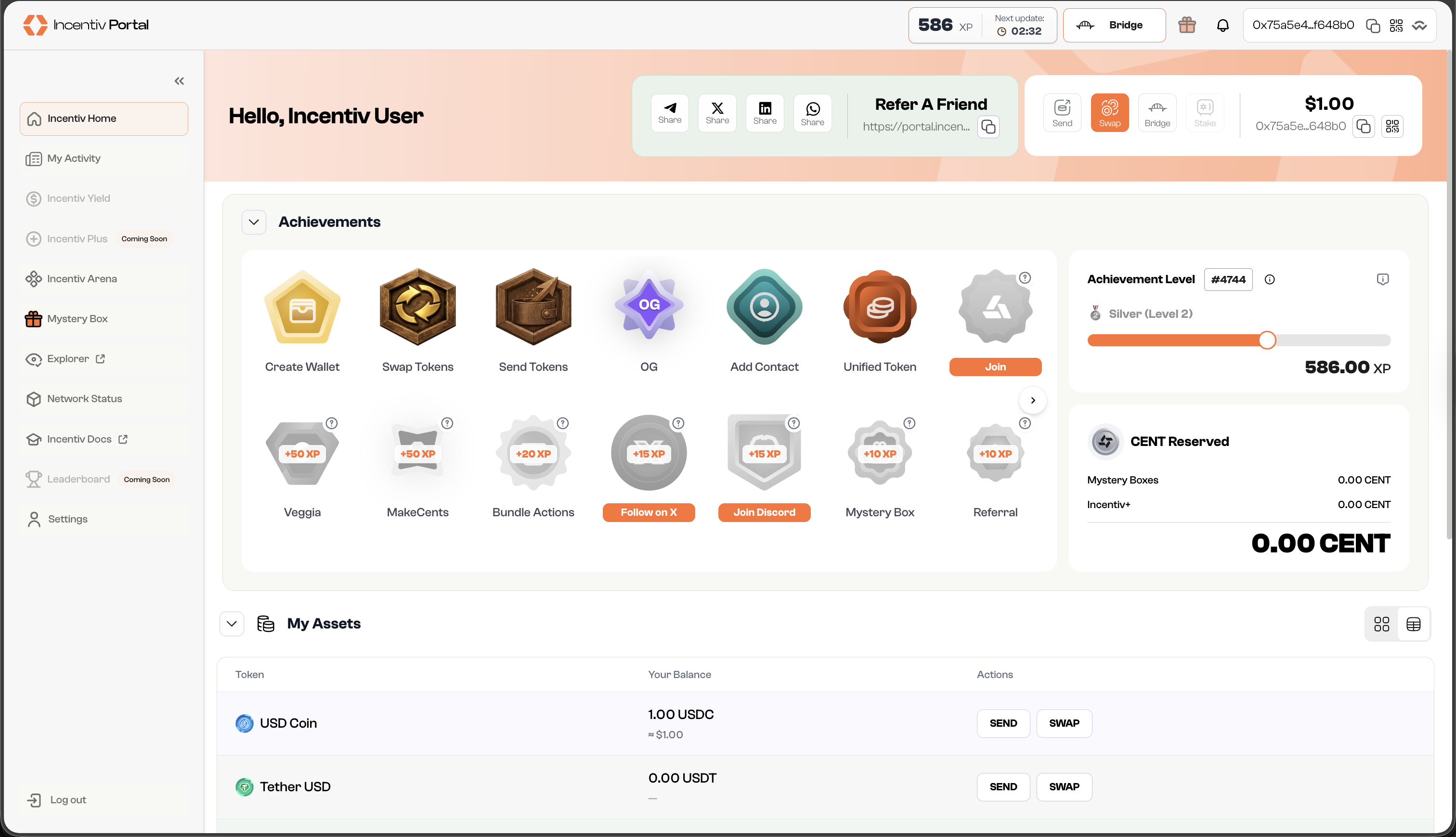
* In the panel beside your nickname, or the pop-up widget, you can find action buttons.
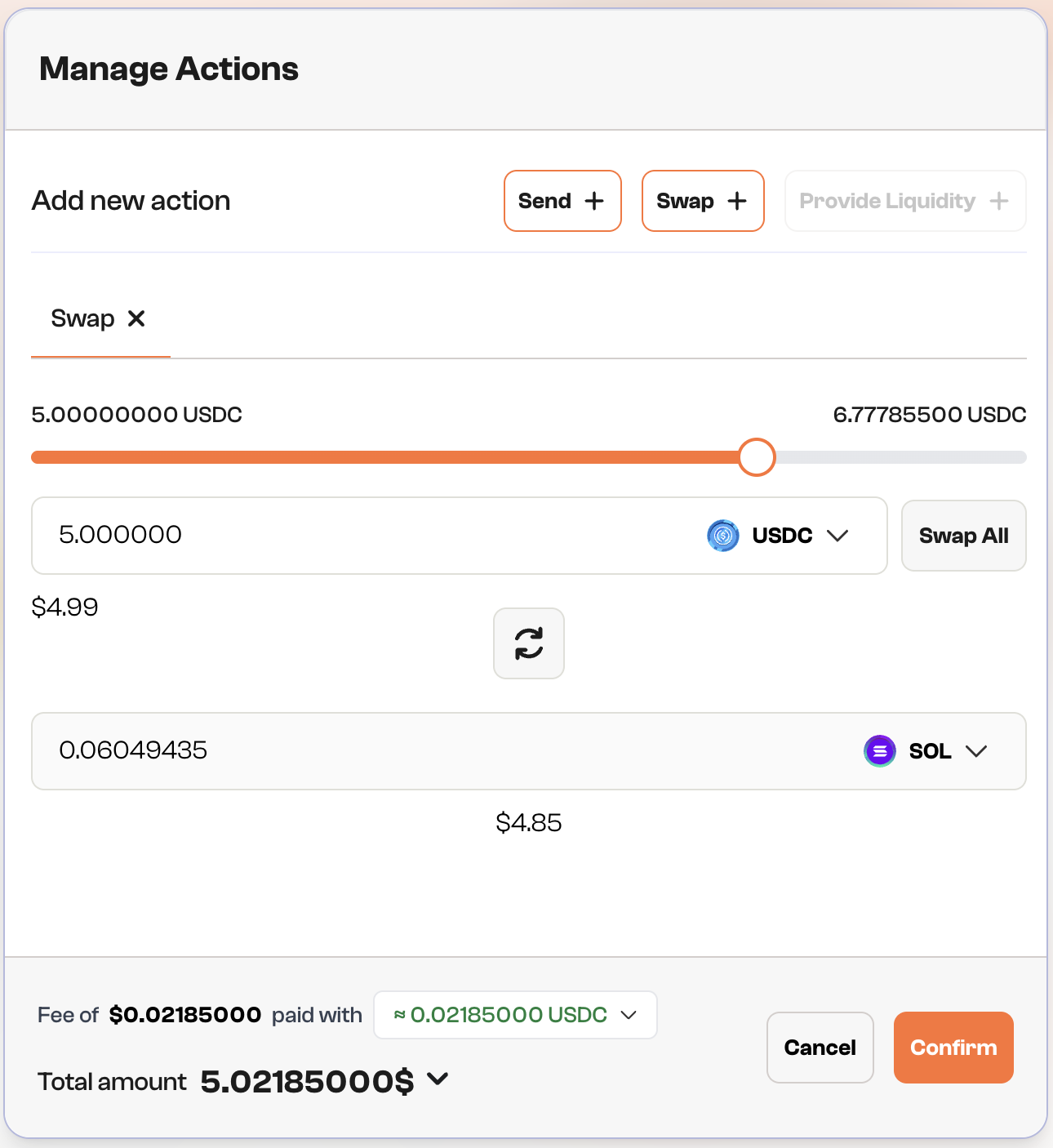
* Click **“Swap”** to set this as your first action in the bundle
* Select which token you want to swap into and specify the amount of tokens.
* You can use the 🔄 button if you want to switch between the origin token and the target token.
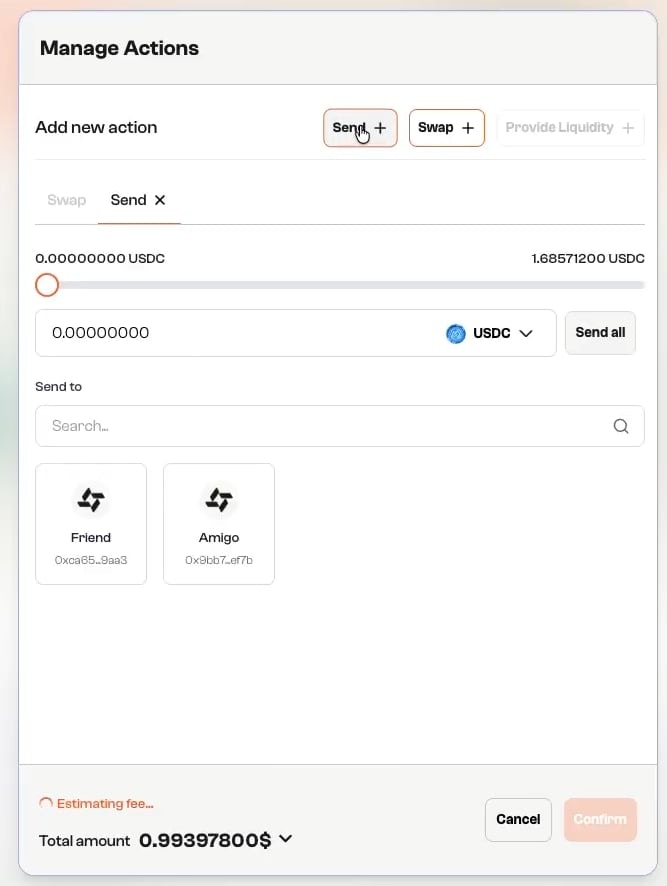
* Click **“Send +“** button to add the swap action to the transaction.
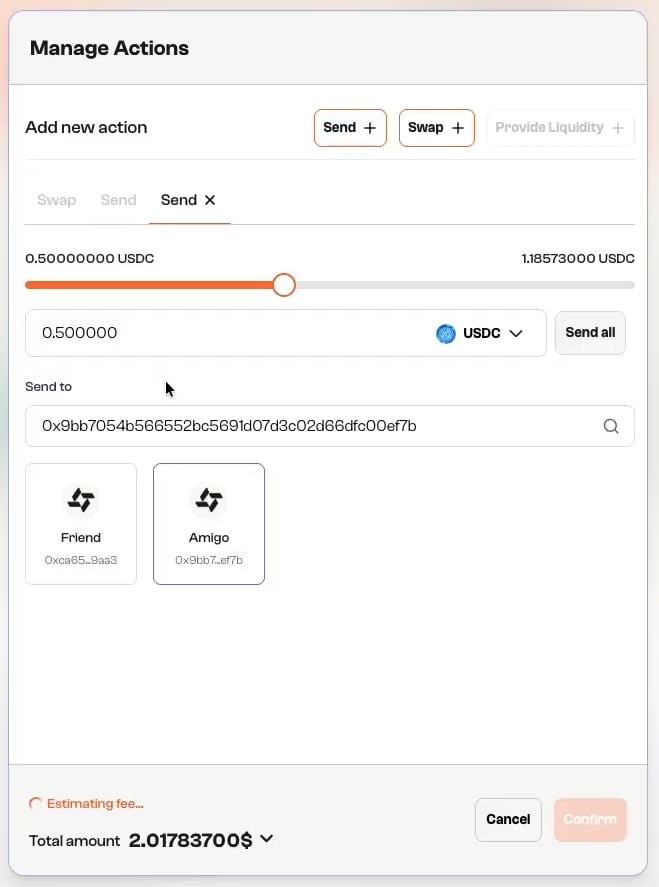
* Enter the amount of target tokens you want to send.
* Input the recipient’s wallet address or select a contact from your list.
Note: The starting balance is 0.00 BULL Token before the start of the transaction, but now you have the swap projected balance after fees
* Review the transaction details, including the amount and gas fees.
* Click **“Confirm”** to initiate the transaction.
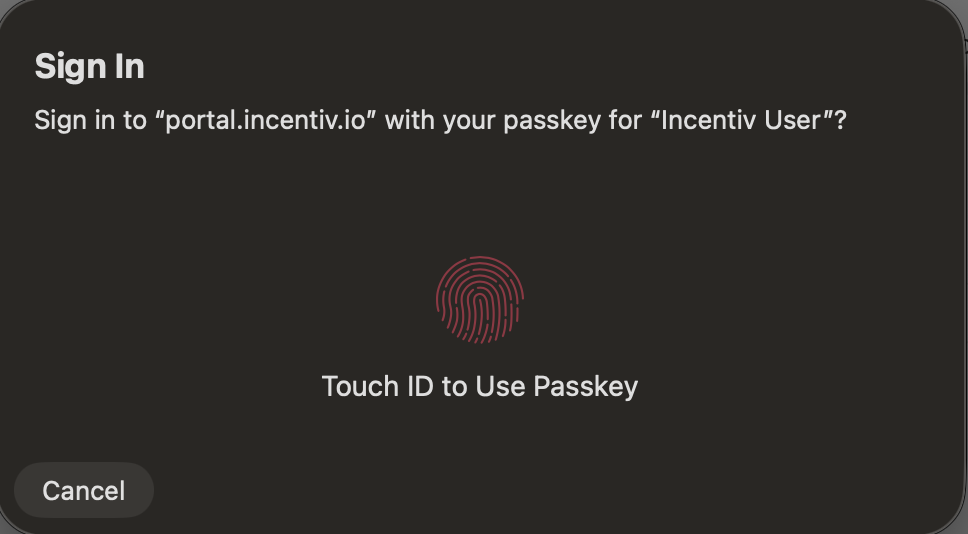
* A prompt will appear, asking you to verify your identity using biometric authentication (e.g., Touch ID or PIN).
* Use your fingerprint/facial recognition or PIN to confirm the transaction.
* You can select **"Use a different passkey"** or **"Cancel"** to abort the transaction.
**Step 6.2: Validation (Wallet Extension)**
* A prompt will appear from your registered external wallet extension (Metamask or Wallet Connect) to verify the transaction
* Check the details and sign the transaction from the extension
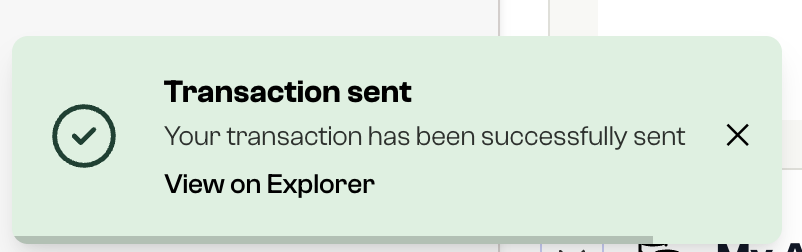
* Once the transaction is processing, you’ll receive a notification.
* The dashboard will reflect the updated balance of your token, and the transaction will appear in your transaction history.
* After successful completion, you’ll earn a badge. The more bundled actions you complete, the higher your badge tier.
Congratulations! You earned a Badge for completing your first bundle action on Incentiv
# Video Tutorial: Bundle Action
 **Step 6.2: Validation (Wallet Extension)**
* A prompt will appear from your registered external wallet extension (Metamask or Wallet Connect) to verify the transaction
* Check the details and sign the transaction from the extension
**Step 6.2: Validation (Wallet Extension)**
* A prompt will appear from your registered external wallet extension (Metamask or Wallet Connect) to verify the transaction
* Check the details and sign the transaction from the extension
 * The dashboard will reflect the updated balance of your token, and the transaction will appear in your transaction history.
* After successful completion, you’ll earn a badge. The more bundled actions you complete, the higher your badge tier.
* The dashboard will reflect the updated balance of your token, and the transaction will appear in your transaction history.
* After successful completion, you’ll earn a badge. The more bundled actions you complete, the higher your badge tier.